How many great ideas have been lost to forgotten conversations?
Meetings are the lifeblood of decision-making, but their value evaporates the moment someone asks, “Wait, what did we decide on that?” In 2025, the best meeting recording software doesn’t just prevent memory loss; it actively drives momentum.
We spent weeks testing over a dozen tools across real-world meetings, including client calls, internal syncs, and brainstorming sessions. We evaluated each tool on recording quality, transcription accuracy, platform compatibility, and AI-powered features. One platform stood out not just as a tool, but as a teammate.
TL;DR: Top Picks
- Proactor: Your proactive AI teammate that offers real-time, explainable advice and remembers past conversations.
- Zoom: Provides reliable and basic native recording for video, audio, and screen sharing.
- Fireflies: A great choice for sales teams who need to sync meeting notes with their CRM.
- Fathom: The fastest way to create one-click highlights and summaries from Zoom calls.
- Otter.ai: A simple tool for live, collaborative voice transcription and note-taking.
- Notta: The best option for multilingual teams needing transcription in over 40 languages.
- Krisp: Delivers best-in-class audio quality by using AI to cancel background noise.
- Tactiq: A lightweight Chrome extension for capturing summaries specifically from Google Meet.
- Jamie: A privacy-focused desktop app that records meetings locally on your device without a bot.
- Read.ai: Focuses on analytics, tracking speaker talk time and engagement to improve meeting culture.
What Is Meeting Recording Software?
Meeting recording software captures video or audio from a live meeting, call, or uploaded file. Modern tools also include transcription, summaries, timestamps, and speaker detection. These recordings are critical for:
- Sharing meeting outcomes
- Ensuring compliance
- Reviewing decisions
- Following up with action items
What to Look For in the Best Meeting Recording Software
Before choosing a tool, consider:
- ✅ Platform Support: Does it work with Zoom, Teams, Meet, or offline?
- ✅ Recording Quality: High-quality audio and video capture
- ✅ AI Transcription: Accurate and fast
- ✅ Live Summaries or Advice: Does it offer in-meeting support?
- ✅ Privacy: Does it require a bot or record locally?
- ✅ Multilingual Support: If you operate globally
1. Proactor — Best Meeting Recording Software with Real-Time AI
Best for: Professionals and teams who need more than a record of what was said; they need a proactive partner that understands context, remembers past conversations, and provides actionable, reasoned advice in real-time.
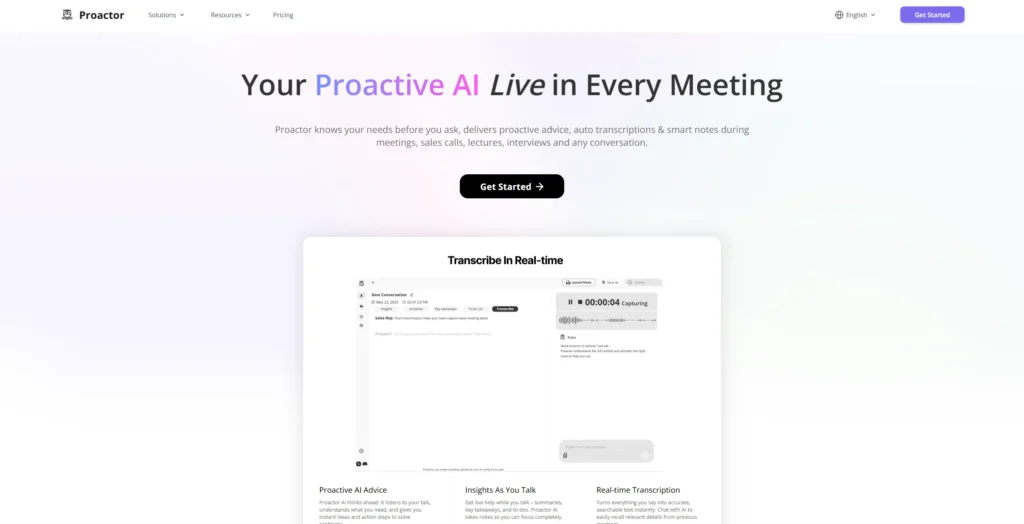
During a complex project review, a question hung in the air: “Didn’t we face a similar technical hurdle last quarter?” That’s the moment most meetings stall. But with Proactor, the experience was different. It’s not just a recorder; it’s a proactive insight engine—a true “second brain” for your conversations.
It works invisibly in the background. While we talked, it wasn’t just transcribing; it was thinking. Key takeaways, action items, and—most impressively—AI Advice popped up on a live task panel.
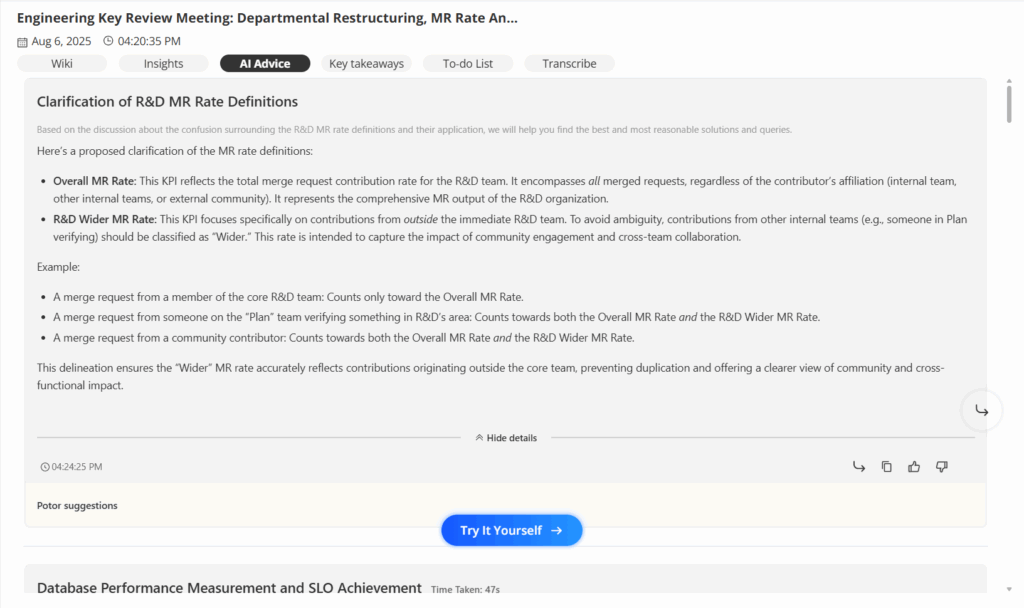
Feature Spotlight: Explainable AI Advice This is where Proactor leaves other tools behind. When it generates a suggestion, it’s not a black box. Each piece of AI Advice comes with two options:
- The “What” (The Solution): Click one button, and it lays out a concrete technical path or action plan.
- The “Why” (The Reasoning): Click the other, and it reveals its diagnostic process: the “Detected issue with context” and the “Issue root cause”. This transparency builds trust and allows you to validate its logic, making the AI a controllable and reliable partner.
Feature Spotlight: Cross-Meeting Memory with Potor Proactor’s built-in AI assistant, Potor, has a long-term memory. I could ask it questions that span weeks or months of conversations: “Summarize the client’s main concerns from our last three calls” or “Find the meeting where we first discussed SEO backlink strategies.” Potor uses its memory and RAG capabilities to deliver answers with context, linking past decisions to present discussions.
After the meeting, Proactor automatically generates a structured Meeting Wiki, complete with an overview, key conclusions, discussion points, and a final to-do list—transforming chaotic talk into an actionable blueprint.
Key Features
- Real-time, high-accuracy transcription.
- Proactive AI Advice with full explainability (the “what” and the “why”).
- Potor: An AI assistant with cross-meeting memory and contextual Q&A.
- Automatic generation of structured Meeting Wikis.
- Bot-free, invisible operation.
- Supports 9 languages including English, Chinese, French, and Japanese.
Pros
- ✅ Truly proactive AI that offers suggestions without prompts.
- ✅ Explainable advice builds trust and ensures control.
- ✅ Cross-meeting memory connects disjointed conversations.
- ✅ Automatic structured Wiki saves hours of post-meeting work.
- ✅ No intrusive bots.
Cons
- ❌ Laser-focused on audio and context: If your team relies heavily on visual records like screen sharing, Proactor’s audio-first approach is designed to capture the substance of the conversation, not the visuals.
2. Zoom — Basic Video Meeting Recording
Zoom’s built-in recording function is often the first experience many teams have with meeting capture — and for good reason. It’s reliable, accessible, and integrated directly into the platform you’re probably already using.
Key Features
- Native recording for video, screen, and audio
- Local or cloud-based storage
- Share recordings via Zoom link or downloads
- Host-controlled access
Pros
✅ Seamless for Zoom users
✅ Reliable video/audio capture
✅ Easy sharing and download
Cons
❌ No transcription or summaries by default
❌ No real-time note-taking or AI features
❌ Only works within Zoom ecosystem
3. Fireflies.ai — Sales Teams with CRM Integration
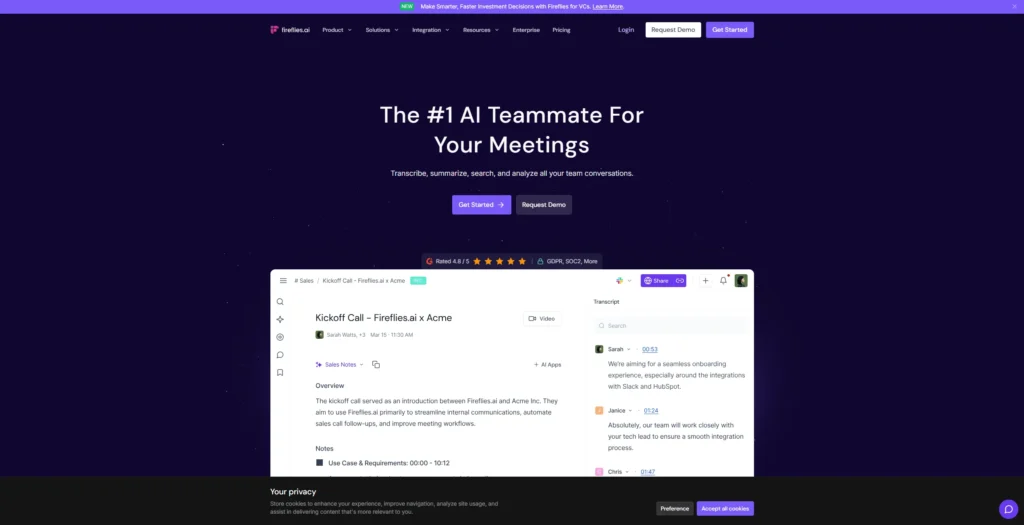
When I tested Fireflies AI, I found it easy to set up and surprisingly comprehensive for voice-driven meetings. The transcription quality was decent for clear conversations, though more technical terms or background noise occasionally caused issues.
Key Features
- AI-powered transcription and summaries
- Smart search for fast navigation
- CRM integrations (Salesforce, HubSpot, etc.)
- Speaker detection and action item tagging
- Collaboration tools like soundbites, comments, reactions
Pros
✅ Accurate for simple meetings
✅ Powerful search function
✅ Syncs with CRMs and productivity tools
✅ Allows team collaboration inside notes
Cons
❌ Bot presence can feel intrusive
❌ Occasional delay in meeting join
❌ Limited transcription accuracy in noisy settings
❌ Premium features locked behind paywall
G2 User Reviews (Fireflies)
“Fireflies helps us capture every sales call without needing to type a thing. The CRM sync is a lifesaver.” — G2 Reviewer, 2025
“Sometimes the bot is delayed or fails to join, but once it works, the summaries are pretty solid.” — G2 User
4. Otter.ai — Real-Time Transcription and Note Sharing
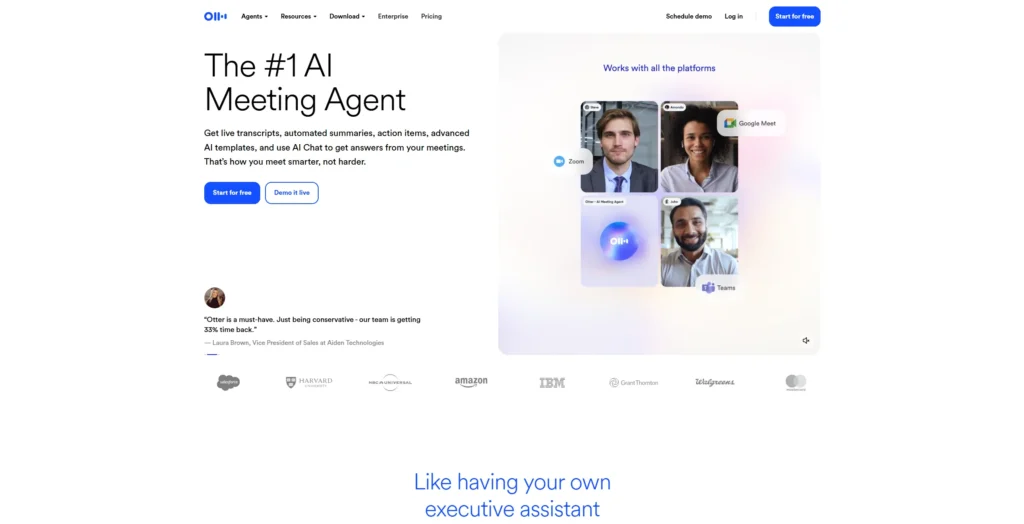
Otter.ai’s bot joins your meeting automatically and transcribes conversations in real time. I found the transcription quality to be good but not great, often requiring manual fixes. The 30-second AI-generated summaries were helpful, though occasionally missed the nuance of longer discussions.
Key Features
- Live transcription for Zoom, Meet, and Teams
- AI-generated summaries and action items
- Otter Chat for transcript search
- Auto-join capability
- Slack, Salesforce, HubSpot integrations
Pros
✅ Live transcription and summaries
✅ Good team collaboration features
✅ Cross-platform integrations
✅ Useful AI chat search
Cons
❌ No offline mode
❌ Speaker ID often inaccurate
❌ Limited language support
❌ Editing interface could be smoother
❌ Free plan limits minutes per month
G2 User Reviews (Otter.ai)
“Otter’s live transcription is super helpful during meetings, especially when I need to refer back to what was said.” — G2 Reviewer, 2025
“The summaries are hit-or-miss, but I love the search and Slack integration.” — G2 User
5. Fathom — Best for Instant Highlights and Zoom Recaps
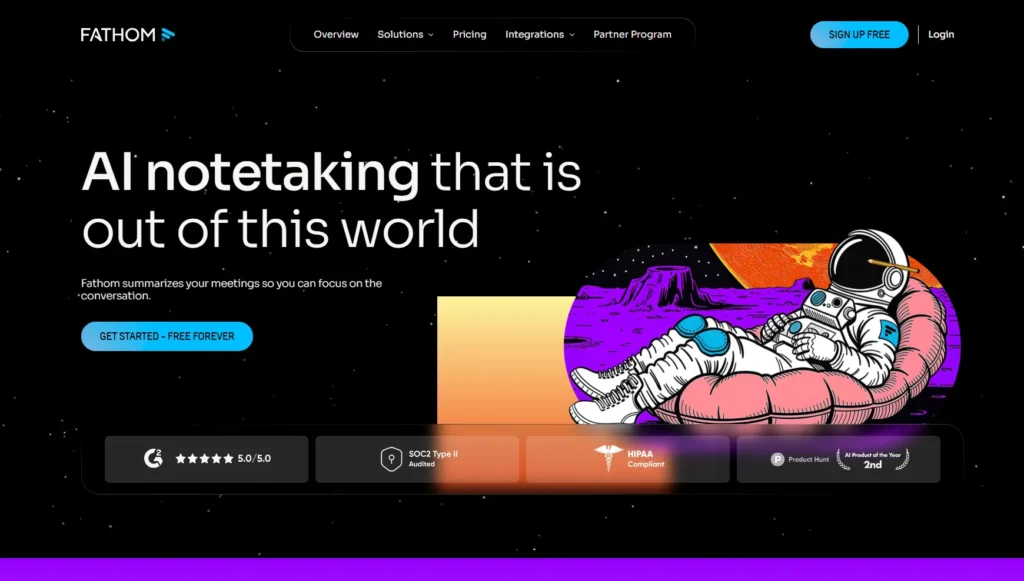
Fathom stands out for one thing: speed. It lets you mark highlights in real-time during Zoom meetings with a simple keyboard shortcut or button. Once the meeting ends, it sends a polished summary with quotes, timestamps, and action points to your inbox.
When I tested it on a product review call, I found the one-click highlight extremely handy. It helped me isolate key customer feedback without rewatching the whole call. The summary accuracy was impressive, especially given the speed of delivery.
That said, Fathom only works with Zoom and has no offline or bot-free recording. It also doesn’t offer AI advice, cross-meeting memory, or integrations with CRMs.
Key Features
- One-click highlight during live Zoom calls
- Automatic summaries with speaker IDs and timestamps
- Shareable recap links
- Notes synced with Zoom recordings
- Keyboard shortcuts for quick marking
Pros
✅ Excellent for fast post-call summaries
✅ Simple UI and frictionless workflow
✅ Good for coaching, sales, and reviews
Cons
❌ Zoom-only (no Meet or Teams support)
❌ No smart advice or decision memory
❌ Lacks integrations beyond Zoom
6. Notta — Multilingual Transcription and Export
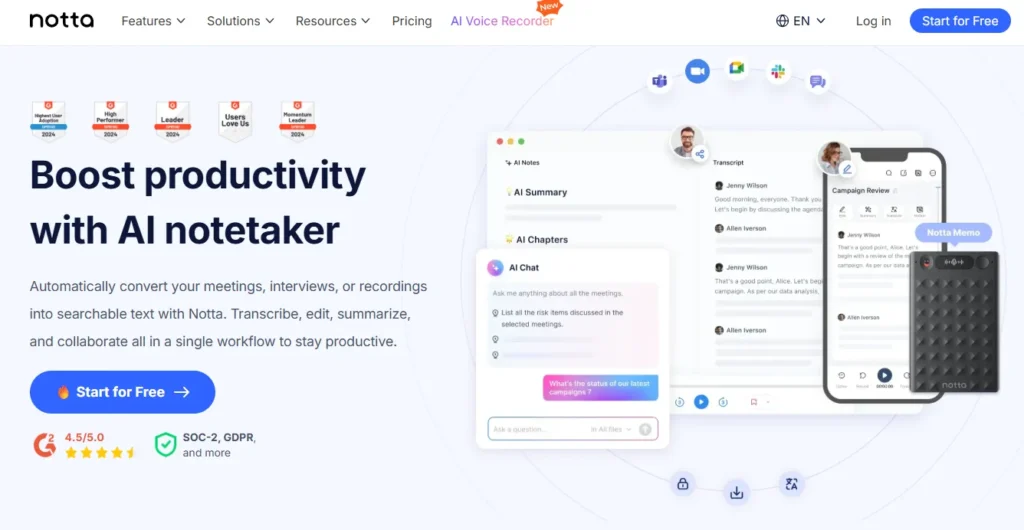
Notta surprised me with how many languages it supports — over 40 in total. If your meetings involve multiple regions or clients, it handles that well.
Key Features
- Supports 40+ languages
- Upload audio/video for transcription
- Subtitle export (SRT, TXT, PDF)
- Clean speaker labeling and timestamps
- Available on web and mobile
Pros
✅ Excellent for multilingual workflows
✅ Accurate offline audio processing
✅ Easy export formats for video or records
Cons
❌ No AI summaries or task generation
❌ No real-time meeting interaction
❌ Lacks integration with productivity tools
Product Hunt Feedback (Notta)
“We use Notta to transcribe global client calls. It’s been a game changer for multilingual teams.” — Product Hunt Comment
“Would be nice if it could also generate smart summaries, but the export quality is excellent.” — Product Hunt User
7. Krisp — Best for High-Quality Audio and Noise Cancellation

Krisp isn’t a full note-taker or recorder — but it pairs well with any of the tools above. Its AI noise cancellation is the best I’ve tested. It removes background chatter, keyboard clicks, and even barking dogs, making meetings sound crisp and professional.
I used Krisp in a busy coworking space, and my teammates thought I was in a studio. It also tracks talk-time and filler words, which helps improve speaking habits. Transcription exists but is very basic — this is an audio tool first.
Key Features
- Bi-directional noise cancellation (mic + speaker)
- Voice activity analytics (talk time, filler words)
- Works with Zoom, Meet, Teams, and more
- Light transcription support (English only)
- Desktop and mobile apps
Pros
✅ Best-in-class audio clarity
✅ Works across all platforms
✅ Great for hybrid/remote environments
Cons
❌ No meeting summaries or AI tasks
❌ Basic transcription only
❌ Requires pairing with other tools for full workflow
8. Tactiq — Google Meet Notes
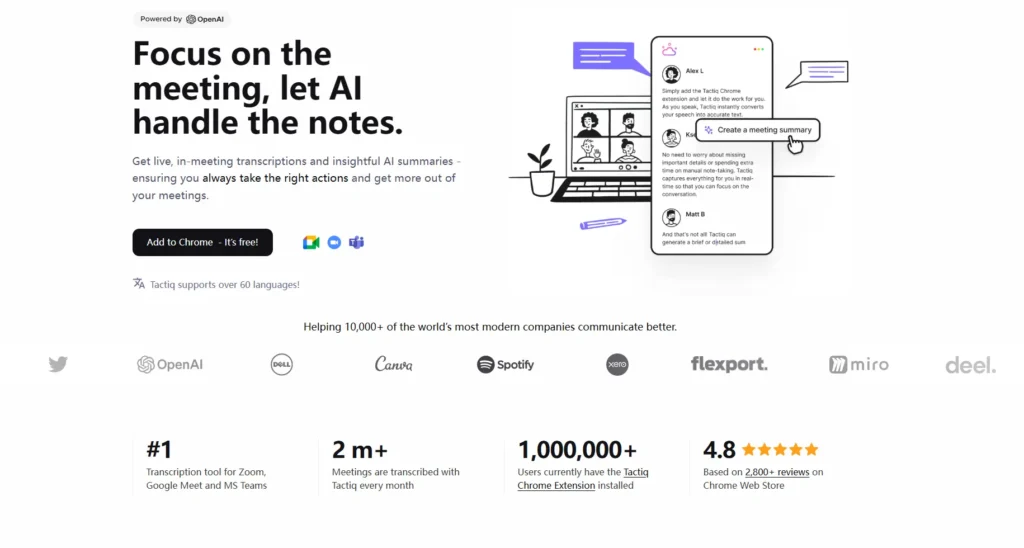
Tactiq is a lightweight transcription tool built specifically for Google Meet. It works as a Chrome extension and overlays subtitles in real time, allowing you to capture spoken content and save it as meeting notes with just a click.
Key Features
- Chrome extension for Google Meet
- Live subtitle capture and download
- Summary export (TXT, Google Docs)
- Highlighting with shortcut keys
- Basic speaker tagging
Pros
✅ Easy to install and use
✅ Real-time subtitle overlay in Meet
✅ Quick export and sync to Docs
Cons
❌ Chrome-only support
❌ No AI advice or task generation
❌ Not compatible with Zoom or Teams
9. Jamie — Privacy-First, Bot-Free Recording
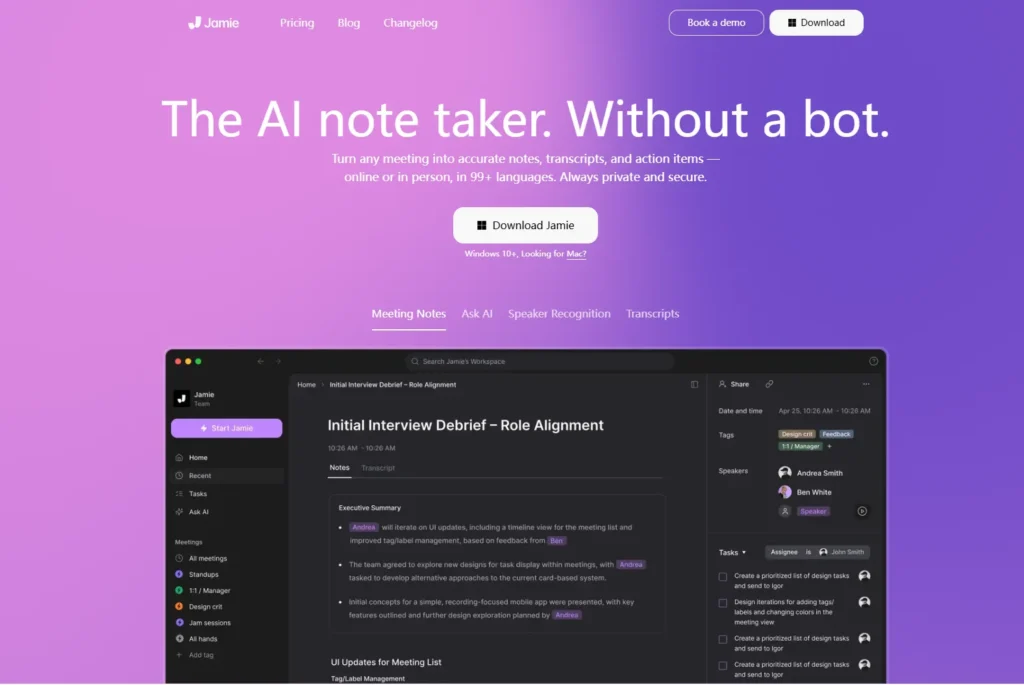
Jamie is a desktop-based note-taking assistant that records meetings locally on your device without sending a bot. It works with Zoom, Teams, Meet, or even in-person recordings — making it perfect for teams with strict privacy requirements.
Key Features
- Desktop local recording (Mac/Windows)
- No meeting bot required
- Summaries + task extraction
- GDPR-compliant data handling
- Multi-language support (20+)
Pros
✅ Privacy-focused design
✅ Bot-free experience
✅ Works with offline/in-person meetings
Cons
❌ Limited real-time features
❌ No advice engine or memory
❌ Less interactive than cloud-based tools
10. Read.ai — Engagement Analytics
Read.ai takes a different approach. Instead of focusing on notes or tasks, it tracks participation dynamics — who spoke, for how long, with how much energy. It’s useful for managers, facilitators, and teams looking to improve meeting culture.
Key Features
- Meeting engagement dashboard
- Talk-time and energy score tracking
- Surface-level summaries
- Compatible with Zoom, Meet, Teams
- Post-call metrics sharing
Pros
✅ Helps evaluate meeting dynamics
✅ Unique visual insights
✅ Great for team coaching
Cons
❌ Lacks deep transcription or summary features
❌ No action items or follow-up
❌ Not useful for content capture
Benefits of Proactive Meeting Recording Software
Most tools capture what’s said — but Proactor understands what was meant and figures out what’s next. That proactive layer is the difference between a passive record and an active partner. It closes the gap between conversation, decision, and action.
Drawbacks of Typical Meeting Recorders
Many tools, even good ones, share the same frustrations:
- ❌ Delayed Insights: You get a summary after the opportunity to act has passed.
- ❌ No Contextual Memory: Each meeting is an island, disconnected from the past.
- ❌ Black Box AI: You get a summary but have no idea how the AI reached its conclusions.
- ❌ Passive Action: They wait for you to give a command or search for a keyword.
The Verdict
If your goal is a simple transcript, standard tools will suffice.
But if you want to transform your conversations into a competitive advantage, you need more than a recorder. You need a partner that remembers, reasons, and recommends. While other tools give you a memory of your meetings, Proactor gives you momentum.
Stop just recording your meetings; start acting on them. Proactor doesn’t just think with you—it helps you think ahead.
FAQ
-
What is the best AI tool for meeting notes?
For proactive, intelligent note-taking, Proactor is the most advanced tool in 2025. It offers real-time summaries, actionable to-dos, and, most importantly, explainable AI suggestions during the meeting.
-
How is Proactor’s memory different?
Its AI assistant, Potor, has a cross-meeting memory, allowing you to ask questions and get context from past conversations, not just the current one.
-
Do I need to invite a bot to use Proactor?
No. Proactor works silently in the background — no join bot, no interruption.
-
Is Proactor’s AI advice just a summary?
No, it’s far more. It provides actionable solutions and also explains the reasoning behind its suggestions, showing you the problem it detected and the root cause.
-
Is Proactor free?
Yes, it has a free Basic plan with 30 minutes of transcription to get you started. Paid plans unlock more minutes and full access to Proactive AI Advice.