You’re in a crucial meeting, trying to listen, think, and type all at once. By the end, you’re left with a messy document and the nagging feeling you missed something important. Sound familiar?
I’ve spent countless hours testing prompts and workflows to solve this. I found that using an AI like ChatGPT for notes is a powerful starting point, but it’s not the end game. It’s a fantastic tool, but you need to know how to use it right and, more importantly, when you’ve hit its limits.
This guide will give you a clear roadmap.
We’ll cover three core methods for using ChatGPT, share some professional-grade prompts to elevate your output, and honestly discuss the critical bottlenecks you’ll run into.
By the end, I’ll introduce a solution designed for true, proactive meeting intelligence.
Why Bother? The Real Value of AI in Note-Taking
It’s more than just saving a little time. Using AI to process your notes can turn messy, ephemeral conversations into structured, valuable assets for your team.
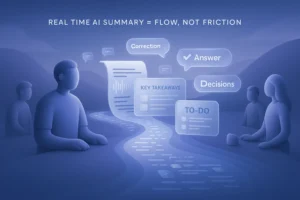
This is the process from chaos to clarity.
The real benefit goes beyond just saving time. You can no longer take notes and actively participate at the same time, just focus on the conversation and trust that you will not miss important details. This shift can allow you to uncover hidden problems that might get lost in fast-paced discussions and even help generate more creative solutions. Ultimately, it allows you to run more efficient meetings, capture key content and make real progress.
3 Core Methods: Turning ChatGPT into Your Note-Taker
Let’s dive into the practical steps. I’ve broken down the process into three methods, from the most basic application to a more advanced, real-time workaround.
Method 1: The Classic Summary (Post-Meeting)
This is the most common and straightforward way to use ChatGPT for notes. It’s perfect for when you already have a block of text, like a meeting transcript or a long article.
The workflow is simple.
First, you need a text transcript of your meeting. If your recording tool doesn’t provide one, you can use Proactor to convert audio to text. Then just copy and paste that text into ChatGPT and a clear prompt will appear.
Here are a few professional prompts to get you started:
- For action items: “Extract all tasks from this transcript, assign a potential owner based on the conversation, and categorize them by priority (High/Medium/Low).”
- For key decisions: “List the key decisions made in this meeting and briefly summarize the reasoning behind each one.”
- For finding issues: “Identify any points of disagreement or unresolved questions from the transcript.”
Method 2: Advanced Formatting (Structuring Your Knowledge)
Structured summaries are more conducive to improving your work efficiency. You can command ChatGPT to organize your notes into a specific standardized format for consistency and clarity.
This is where you can really start to professionalize your output.
For example, you can ask it to reformat your rough notes into a formal meeting minutes document. This ensures that every meeting summary your team sees has the exact same layout, making them easy to scan and compare over time.
Try this powerful prompt: “Reformat these rough notes into a formal meeting minutes document with sections for: 1. Overview 2. Key Takeaways 3. Discussion Points 4. To-Do List.”
Method 3: The “Live Meeting” Workaround
What about taking notes during live meetings? You can try this, but I don’t like taking notes on the spot, it wastes a lot of my time and takes away from my ability to focus on the meeting.
The process involved frantically typing rough notes into a text editor, then periodically copying and pasting those chunks into ChatGPT and requesting a running summary. If you can do it, and do it with high quality, then you clearly have a powerful multi-threaded brain. For me, I can only handle single threaded tasks.
This manual process highlights the huge gap between general artificial intelligence and purpose-built conferencing tools. Tools like Proactor AI can operate in true real-time, transcribing and analyzing conversations “as they happen” without the need for copy-pasting.
The Glass Ceiling: 3 Critical Limitations of ChatGPT for Meetings
This “live meeting” workaround reveals the fundamental limitations you’ll hit when using ChatGPT for serious, high-stakes conversations. It’s a fantastic generalist, but it wasn’t built for this specific job.
1. No Real-Time Ears (The Input Problem)
ChatGPT is a text processor; it can read, but it cannot listen. It is not able to transcribe audio on its own. This means you always need a separate, intermediate step to get a meeting transcript. This workflow creates a significant delay and adds manual friction, preventing you from getting the insights you need at the moment you need them.
2. The Consistency Gap (Unstructured Output)
Even with the perfect transcript, ChatGPT’s output can be unpredictable. Unless your prompt is flawlessly engineered every single time, the structure of your notes can vary from one meeting to the next. This inconsistency forces you to spend valuable time manually reformatting the text, which undermines the goal of automation and creates extra work.
3. It’s a Follower, Not a Leader (Reactive vs. Proactive)
This is the most crucial distinction. You must provide ChatGPT with precise, explicit commands for everything you need. It is a reactive tool that waits for your instructions. It will never proactively offer a suggestion, spot a contradiction in your team’s logic, or surface a relevant piece of information from a past conversation on its own.
The Next Level: Proactor AI – Your Proactive Meeting Partner
What if your notes tool could think ahead? That’s the difference between a reactive scribe and a proactive partner.
Proactor AI was designed to overcome every limitation we just discussed. It’s not an all-in-one tool; it’s a proactive brain that turns your conversations into actionable intelligence. It was built on the core idea of Proactive Insight.
It solves the “no ears” problem with high-precision, real-time transcription. As you speak, it listens, transcribes, and analyzes simultaneously.
It solves the “amnesia” problem with a Global Memory, allowing it to track topics and tasks across your entire meeting history. You can ask its built-in assistant, Potor, questions that span multiple conversations.
Most importantly, it solves the “follower” problem with its AI Advice Engine. Proactor autonomously identifies potential tasks, spots issues, and offers suggestions based on the context of the conversation—without you even having to ask. The output isn’t just text; it’s a structured meeting Wiki with conclusions, key takeaways, discussion points, and a to-do list.
Conclusion: The Right Tool for the Right Task
ChatGPT is an incredible Swiss Army knife for working with text. The prompts I’ve shared will absolutely help you create cleaner, more useful summaries from existing documents. Use them to get started.
But for professionals whose work depends on high-value conversations, a reactive tool will always hold you back.
When you feel the friction of its limitations, you’ll know it’s time to experience what a proactive AI partner can truly do. Your meetings are more than just words; they are the starting point for action.
FAQ
-
Can ChatGPT transcribe audio directly?
No, it cannot natively transcribe audio. You must first use a separate application to convert your audio or video file to text, then paste that transcript into ChatGPT for analysis. Proactor AI integrates this entire workflow into one seamless platform, from real-time transcription to proactive insight generation.
-
What’s the best ChatGPT prompt for meeting notes?
A great starting point is to ask for a summary divided into specific sections. A robust prompt would be: “Analyze the following transcript and provide a summary with three distinct sections: 1. Key Decisions Made, 2. Main Discussion Points, and 3. A table of Action Items with assigned owners.”
-
How is Proactor AI different from simply using a transcription service with ChatGPT?
The key difference is being proactive. The transcription-plus-ChatGPT combo is reactive—you do the work, give the commands, and it obeys. Proactor analyzes conversations in real-time to autonomously suggest insights, identify tasks, and draw connections to past meetings using its Global Memory. It’s the difference between having a simple scribe and having an intelligent strategist in the room with you.