The first generation of AI meeting assistants felt magical. Tools like Otter, Notta, and Krisp could transcribe meetings so you didn’t need to scribble notes.
But teams quickly realized that a transcript wasn’t enough. You still had to figure out what decisions were made, what the next steps were, and who was responsible.
In 2025, the real question isn’t “Can my AI capture words?” but “Can it help me act on them?”
That’s exactly where the Proactor vs Krisp comparison gets interesting.
1. First Impressions: Krisp vs Proactor
Krisp impressed me with its noise cancellation. I could take calls in a café or airport and still sound like I was in a private office. The bot-free recording also made it feel less invasive — no awkward “Krisp bot has joined your meeting” popups.
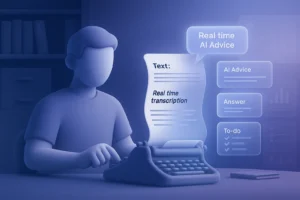
Proactor, in contrast, didn’t just clean the audio. It felt like another participant — one that listened, remembered, and pushed the meeting forward. Instead of handing me a transcript, it delivered real meeting intelligence.
👉 One tool polishes your sound. The other polishes your workflow.
2. Using Krisp in Real Meetings
I tested Krisp in different scenarios:
- Sales call at an airport lounge: My client said, “It’s like you’re sitting in a quiet office.” That’s Krisp’s superpower.
- Cross-national meeting: Accent conversion made my colleague’s English sound neutral, though at times it felt robotic.
- Meeting notes: Krisp gave me bullet summaries. Useful for a recap, but when I looked for decisions or tasks, I still had to re-watch the recording.
Reddit users share similar experiences:
“Krisp works really well, but it’s basically a fancy filter with basic notes.”
3. How Proactor Changed the Game
When I switched to Proactor, the difference was night and day.
- In a sales pipeline review, Proactor generated a clear to-do list. When I said, “Let’s regroup next Wednesday,” it logged the follow-up automatically. No extra Asana update needed.
- During a budget-sensitive negotiation, its AI Advice popped up: “Highlight ROI and long-term savings instead of cost.” I used it immediately and saved the deal.
- After three weeks of calls, I asked Potor: “What’s pending from my last three client conversations?” Seconds later, it surfaced the unresolved tasks. With Krisp, I would’ve had to dig manually.
- For my distributed team, the Meeting Wiki became the single source of truth. No extra sync calls, no scattered notes — everything was in one place.
💡 Results:
- Saved 3–5 hours of admin per week.
- Avoided 1–2 redundant syncs per month.
- Clients noticed fewer missed follow-ups and faster responses.
👉 With Proactor, meetings stopped being a memory problem and became a momentum engine.
4. Feature-by-Feature Comparison
| Feature | Krisp | Proactor |
|---|---|---|
| AI Transcription | ✅ Multi-language | ✅ 8 languages tuned for accuracy |
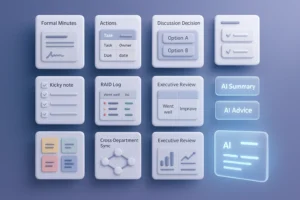
| Meeting Notes | ✅ Basic summaries | ✅ Real-time structured notes + Wiki + To-do |
| Meeting Memory | ❌ Per-meeting only | ✅ Global memory across all meetings |
| AI Advice | ❌ None | ✅ Real-time, context-aware guidance |
| Cross-Meeting Search | ❌ Limited | ✅ Potor semantic search |
| Security | Basic | ✅ SOC2, SSO, HIPAA compliance |
| Pricing | $8–15/month | $15.99–39.99/month |
👉 In short: Krisp solves noise. Proactor solves everything after the noise.
5. Best Use Cases for Krisp vs Proactor
Krisp: A Great Fit for Individuals Who Need Quiet
Krisp is excellent when noise is your biggest problem.
- Remote workers in cafés or airports who just need clear calls.
- Freelancers and solo professionals who don’t require advanced collaboration.
- Small teams that only want audio clarity, not long-term memory or task tracking.
Proactor: Built for Teams That Need More Than Notes
Proactor goes beyond transcription. It’s built for teams who want to save time, avoid missed tasks, and boost productivity.
- Sales teams → close deals faster with real-time AI Advice.
- Managers & executives → cut hours of admin work with Meeting Memory and Wiki.
- Distributed teams → centralize knowledge and reduce redundant syncs.
- Consultants & client-facing teams → impress clients with instant recall of past conversations.
- Enterprise teams → rely on SOC2, HIPAA, SSO for scale and compliance.
👉 Proactor doesn’t just solve one issue — it transforms meetings into actionable workflows.
6. Pricing & Value Breakdown
Krisp
- Pro: $8/mo ($96/year)
- Business: $15/mo ($180/year)
- Limited storage (5–30GB).
Proactor
- Pro: $15.99/mo ($191.88/year)
- Business: $39.99/mo ($479.88/year)
- Includes 1350–3600 minutes of transcription + AI credits.
On paper, Krisp looks cheaper. But Proactor has much stronger capabilities — it not only saves you money on extra tools, it also saves more time and provides more help during and after meetings.
7. Annual Pricing & ROI Insights
- Krisp Pro: $96/year
- Krisp Business: $180/year
- Proactor Pro: $191.88/year
- Proactor Business: $479.88/year
👉 If you just need clean audio, Krisp is enough.
👉 If you want meetings that remember, advise, and save hours of admin, Proactor pays for itself fast.
8. The Future of AI Meetings
Satya Nadella (Microsoft CEO) said:
“AI won’t just take notes; it will participate in every meeting.”
That’s exactly what Proactor delivers: a shift from recording → remembering → advising.
Krisp makes you sound good. Proactor makes you work better.
9. FAQs
Q: Does Proactor have a free plan?
Yes, includes 30 minutes transcription + 100 AI credits.
Q: Can I use Krisp and Proactor together?
Yes. Many teams use Krisp for noise + Proactor for intelligence.
Q: Is Proactor secure?
Yes, SOC2, HIPAA, and SSO compliant. Bot-free recording ensures privacy.
10. Final Verdict
- Krisp = best for individuals who just need crystal-clear calls.
- Proactor = best for teams who want to save hours every week, avoid missed tasks, and work smarter across projects.