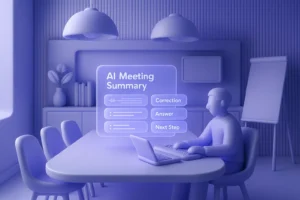
When I first started exploring transcription software, I expected most tools to feel the same—upload audio, wait, and download text. But my Trint review quickly showed me that it tries to be more than that. Instead of being just another meeting transcription service, Trint aims to deliver an end-to-end content production workflow.
I tested it across real interviews, team meetings, and video projects. What I found was a mix of impressive media-focused editing power and some limitations that might frustrate business teams. Let’s go step by step.
What is Trint?
At its core, Trint is an AI transcription platform that converts audio and video into searchable, editable text. But unlike simple note-taking apps, it emphasizes storytelling and content reuse.
Journalists use it to create scripts, broadcasters use it for subtitles, and enterprises use it for compliance-friendly meeting records. The unique angle is its Story Builder, which turns raw transcripts into structured narratives. That’s what drew me in—I wasn’t just getting text, I was getting a rough draft of my final content.
Key Features
Real-Time Transcription & Collaboration
Trint Live is designed for real-time meeting transcription. It captures speech, displays text instantly, and allows multiple people to highlight or add comments.
I tried it in a newsroom-style call with three colleagues. The experience was smooth: one person highlighted quotes, another added bookmarks, and I could focus on asking questions. It felt powerful because editing began before the call even ended.
That said, live sessions max out at 3 hours. For journalists covering a live event, this is usually fine, but if you’re running day-long workshops, you’ll need to segment recordings. By contrast, Proactor offers proactive AI insights during unlimited meetings, making it a stronger option if action items matter more than transcripts.
Multi-Language Support
Trint supports transcription in 40+ languages, real-time in 30+, and translation into 50+.
When I uploaded Spanish interviews, it performed reasonably well. I also tested Mandarin, and while most of the text was usable, heavy accents reduced accuracy. Still, the ability to produce subtitles across 50 languages is a major plus for global teams. If your organization works internationally, this feature is a clear differentiator.
Story Builder & Editing Tools
Story Builder might be Trint’s biggest strength. Instead of manually copying and pasting quotes, you can highlight sections and stitch them into a script or draft timeline.
I used it to create a podcast outline. Normally, I’d spend hours hunting through transcripts. With Story Builder, I had a rough narrative in minutes. The platform also includes speaker separation, search & replace, bookmarks, and even a custom dictionary for tricky terms.
However, there’s still a learning curve. New users may feel overwhelmed at first, and unlike Proactor, it doesn’t proactively suggest action items or automatically structure meeting outcomes. Trint shines in content creation, but less so in task management.
Subtitles & Export Options
Trint generates captions automatically, and editing them is straightforward. Supported formats include SRT, VTT, Avid DS, EDL, Premiere XML, CSV, and HTML.
I exported a transcript into Adobe Premiere as subtitles, and the workflow was seamless. For video editors, this integration reduces hours of syncing headaches. If your main focus is video production, this alone can justify the subscription.
Integrations & API
Trint integrates with Zoom (auto-imports recordings), AP ENPS, Mimir, and Adobe Premiere. I found the Zoom sync handy, but discovered it only supports English recordings, which limits international teams.
Developers will appreciate its REST and Realtime APIs, with separate EU/US endpoints for compliance. Media companies already using ENPS will find the integration particularly valuable—it allows direct transcript access inside the newsroom system.
Pricing
Here’s where things get tricky. Trint positions itself in the premium tier.
- Starter: $80/month or $52/month annually (limited to 7 files and 3 translations per month).
- Advanced: $100/month or $60/month annually (unlimited transcription, AI summaries, caption editor, and Trint Live with 1 hour per seat/month).
- Enterprise: Custom pricing with enhanced live transcription, security, and dedicated support.
The free trial allows 3 files but only the first 5 minutes of each file. I tested this and found it frustrating—you can’t really judge accuracy without full-length transcripts. Once I subscribed, the unlimited plan felt liberating, but I couldn’t ignore the cost.
If you’re a freelancer or small business, Trint is expensive. Other platforms like Fireflies or Notta offer cheaper alternatives. But for newsrooms or corporate teams, the unlimited transcription can be worth every dollar, since costs scale predictably.
(83 words — long paragraph for Pricing expansion)
Security & Privacy
Trint takes security seriously.
- ISO 27001 certified
- GDPR compliant
- TLS 1.2+/1.3+ and AES-256 encryption
- EU or US data residency options
- Secure deletion requests once per month
I liked the data residency choice—it’s crucial for legal clients. Trint also promises not to use customer data for public AI training. This matters if you’re handling confidential meeting notes or legal recordings. Still, keep in mind that uploaded files are retained for 30 days by default unless deleted.
Pros & Cons
Pros
- Excellent for story building and content workflows
- Real-time collaboration feels intuitive and efficient
- Wide language support with translation and subtitles
- Powerful exports for video editors
- Enterprise-ready with compliance and security certifications
Cons
- Pricing feels steep for individuals and freelancers
- 3-hour session cap on live transcription
- Zoom integration limited to English recordings
- Accuracy drops with strong accents in non-English audio
- Doesn’t automatically generate action items like Proactor does
Limitations
Trint isn’t designed as a meeting productivity tool. If you need AI summaries, action items, or real-time decision support, Proactor fills that gap. Trint’s strength lies in editing and publishing.
Other limitations include:
- File uploads max out at 3 hours or 3GB.
- Zoom sync only supports English.
- Trial restrictions prevent proper evaluation.
For journalists, these aren’t deal-breakers. But for business teams wanting automated follow-ups, it may feel lacking.
Who Should Use It?
Based on my experience, Trint is best suited for:
- Journalists and broadcasters who need fast, accurate, and editable transcripts.
- Media production teams creating subtitles and rough video cuts.
- Legal professionals who need GDPR-compliant data residency.
- Enterprises with high transcription volumes and security requirements.
If you mainly need meeting summaries, AI advice, and to-do tracking, Proactor or Avoma may be better fits.
Final Verdict
After weeks of use, my takeaway is clear: Trint is not just transcription software—it’s a content production platform. Story Builder, subtitles, and integrations make it incredibly useful for media professionals. When I used it for a podcast project, it shaved off hours of editing time, which felt transformative.
Yet, I also hit its limits. The trial felt restrictive, the pricing steep, and live transcription capped at 3 hours. Most importantly, it doesn’t help with meeting action items or proactive insights. For teams needing real-time AI summaries, notes, and action tracking, Proactor is simply stronger.
Would I recommend Trint? Yes—for journalists, broadcasters, and editors. But if your focus is team productivity, sales calls, or client follow-ups, you may want to explore alternatives.
-
How does Trint compare to Proactor?
Trint excels at editing, exporting, and content workflows. Proactor is stronger for real-time advice, action items, and contextual memory.
-
Is Trint accurate?
Yes, especially for English. In my tests, non-English accuracy was decent but dropped with heavy accents. Proofreading is still necessary.
-
Does Trint support meeting transcriptions?
Yes, through Trint Live. Sessions are limited to 3 hours. For unlimited meetings plus AI summaries, try Proactor.
-
Can I use Trint for subtitles?
Absolutely. It supports 50+ languages and exports all major formats. Editors will appreciate the seamless Premiere workflow.
-
Is there a free plan?
No, only a 7-day trial with 3 files and 5 minutes each. It’s too limited to judge the product fully.
How does Trint compare to Proactor?