Have you tried MeetGeek, the AI meeting assistant built to make every business meeting more productive?
Last quarter, I joined a two-hour planning session. By the end, we had lots of ideas, but my notes were messy and action items were unclear.
When I tested meetgeek, things felt different. Instead of losing details, I had full meeting transcriptions, digestible AI summaries, and structured action items delivered minutes after the call. This experience was great compared with manual note taking.
In this review, I’ll cover what meetgeek is, its features, pricing, pros and cons, and who should consider it in 2025. I’ll also share my personal take on where it shines.
What is MeetGeek?
meetgeek is marketed as an AI note taker and automation platform. It automatically records your meetings, generates transcriptions, and creates structured AI meeting notes you can share with your team.
Unlike tools that just record meetings, meetgeek turns conversations into actionable knowledge. It generates meeting summaries, highlights action items, and integrates with apps like Slack and Salesforce. This makes it more than transcription—it works as an automation hub.
A feature I liked was host-free recording. Even if you’re not the organizer, meetgeek can still join and capture everything. That detail makes adoption smoother, especially for distributed teams where hosts rotate frequently.
It’s designed for businesses of all sizes. But the strongest benefits appear in sales, HR, customer success, and research teams, where business meetings often drive next steps. Clear AI notes here can directly improve performance.
Key Features of MeetGeek
Real-Time Meeting Transcriptions
meetgeek automatically records online calls and generates meeting transcriptions with timestamps and speaker separation.
Playback was smooth. I could skim like a podcast, jump to highlights, or fast-forward sections I knew. For long calls, this saved hours of review and removed frustration from traditional meeting recordings.
Compared with static meeting recordings, searchable transcripts were a huge improvement. You don’t waste time watching entire videos. Important details were highlighted automatically, which made reviewing conversations far easier and faster. This is really useful for project follow-ups.
AI Meeting Notes and Action Items
The instant AI meeting notes are where meetgeek shines brightest.
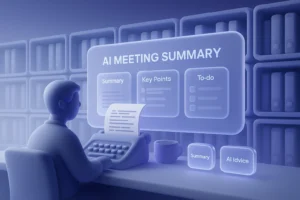
Within ten minutes of a call, I’d receive an email with highlights, decisions, and structured action items. Each task was tied to the person who made the commitment. This improved accountability immediately.
That changed my workflow. Instead of guessing responsibilities, we had a checklist ready. The experience was great, and it saved our team from unnecessary confusion. In meetings where tasks matter, this is really useful.
Not every case was perfect. Complex debates sometimes got oversimplified. But in eight out of ten meetings, the summaries were accurate enough to keep projects aligned. For edge cases, I edited details, but the foundation was solid.
Workflow Automation and Integrations
Automation is another strong point of meetgeek.
I connected it to Slack. Immediately after the call, the meeting summary appeared in my project channel. Teammates who missed the meeting knew exactly what happened, without me copying notes manually or repeating details.
It also integrates with Notion, Jira, HubSpot, Salesforce, Trello, and Google Drive. Action items can flow directly into task boards or CRM records. This makes meetings part of your workflow instead of isolated events.
For sales and HR, this was critical. Meetings became structured processes that fed into existing tools. That saved time and helped automate recording and follow-ups seamlessly. It felt powerful to see commitments flow into our CRM.
Multilingual Transcriptions
meetgeek supports more than 60 languages and includes automatic detection in beta.
I tested it on a bilingual call with English and Spanish. English transcripts were nearly flawless, while Spanish needed some edits. Still, it saved me time compared with manual note taking, and the AI summaries were usable.
Not all languages provide default summaries. For smaller ones, you may need templates. Still, the breadth of coverage is impressive compared with other ai note takers, and it helps global teams operate with fewer communication barriers.
Analytics and Coaching
Another unique feature is meeting analytics.
It tracks speaking time, sentiment, and participation balance. In weekly calls, analytics revealed two members rarely spoke. That insight pushed me to adjust agendas and encourage contributions. For managers, this layer adds serious value.
You don’t just capture content—you also learn how communication flows. That turns meetgeek into more than a simple transcription tool. It becomes an assistant for coaching better discussions across business meetings.
Team Collaboration and Knowledge Base
meetgeek stores transcripts, summaries, and recordings in shared team spaces. (10 words)
Searching this knowledge base felt like browsing a company wiki. I quickly found a decision from six months ago. Instead of emailing colleagues, I had the context ready in seconds, which made my work easier.
Meetings default to private, but sharing is flexible. You can grant teammates or clients access with different permissions. This balance between privacy and collaboration fit naturally into my daily workflow.
Mobile and Offline Recording
meetgeek isn’t limited to virtual meetings.
Using the iOS app, I recorded an in-person interview. Within minutes, the audio was transcribed and summarized. For classrooms, workshops, or research projects, this flexibility is very useful and expands the product’s value significantly.
This advantage is clear. Tools tied only to online meetings can’t match the flexibility of capturing conversations anywhere. Hybrid teams benefit most, since not every critical business meeting happens on Zoom or Teams.
Slack Assistant and Chrome Extension
The Slack Assistant lets you query past meetings, generate follow-ups, or translate summaries—all inside Slack.
I also tried the Chrome extension. It allowed me to manage recordings and view notes directly in the browser. These touches reduced friction and improved my daily experience with meetgeek.
MeetGeek Pricing (2025)
MeetGeek offers four paid tiers plus a free plan.
- Basic (Free): 3 hours/month, 3 months transcript storage, unlimited AI summaries.
- Pro ($15/user/month): 20 hours/month, 1 year transcript storage, workflows, Zapier/Make.
- Business ($29/user/month): 100 hours/month, 12 months video storage, team spaces, analytics.
- Enterprise ($59/user/month): Unlimited, EU/US data residency, branded emails, advanced analytics.
- Overage: $0.5 per extra hour.
I began with Basic. It worked fine for testing, but Pro was where things became practical. At $15, it balanced affordability with hours and integrations suitable for professionals or small teams.
Business became compelling for larger groups. It added team spaces and analytics, which managers rely on heavily. Enterprise, while expensive, clearly targets compliance-heavy industries. Data residency and retention controls are essentials for regulated environments.
Compared with Fireflies or Avoma, meetgeek’s pricing felt competitive. You aren’t just paying for transcription—you’re buying automation, analytics, and governance features bundled together. That made the value proposition stand out for me.
Security & Privacy
Security is central to meetgeek’s design.
It uses AES-256 encryption for storage and TLS in transit. Meeting data is not used for AI training, which reassured me when testing sensitive business meeting conversations.
Enterprise plans go further. You can choose EU or US data residency, set custom retention policies, and send branded emails. Compliance includes SOC 2, GDPR, HIPAA, and CCPA, meeting requirements for most enterprises.
For me, this was enough. Still, I’d like to see independent audits published. Enterprises often require verified certifications before trusting an ai note taker like meetgeek with confidential recordings.
Pros of MeetGeek
- Host-free meeting transcriptions
- Automatic AI summaries and action items
- Workflow automation with 50+ integrations
- Analytics and coaching insights
- Multilingual support
- Team knowledge base
- Mobile and offline recording
- Competitive pricing
Cons of MeetGeek
- Bot may occasionally fail to auto-join
- Smaller languages lack default summaries
- Audio quality can sometimes degrade
- Mobile transcription not always perfect
- Some enterprise features still “coming soon”
Reliability was the biggest drawback for me. If the bot missed a call, you lost documentation. It didn’t happen often, but when it did, the disruption was significant enough to notice.
Limitations
meetgeek works best with Zoom, Meet, and Teams. If your organization depends on other platforms, coverage might feel limited.
Bots also have waiting limits: 10 minutes for Meet/Teams and 15 for Zoom. If stuck in a waiting room, recordings might fail, requiring manual fixes.
Enterprise features like SSO and domain customization are still in development. If you need them now, you may want an alternative like Proactor, which already supports more enterprise options.
Who Should Use It
The strongest fit is sales, HR, customer success, and research teams.
If you want structured meeting notes, summaries, and action items synced into CRMs or project tools, meetgeek is a great option. Product managers and educators will also benefit from its searchable knowledge base.
Freelancers can try the free plan. Serious adoption requires Pro or higher. Larger organizations with compliance needs should consider Business or Enterprise to access analytics and governance features.
Final Verdict
meetgeek impressed me with accurate meeting transcriptions, quick AI summaries, and solid integrations. Analytics and multilingual support pushed it beyond standard note taking apps, making it one of the strongest options available in 2025.
Weaknesses exist—occasional bot failures and enterprise features still pending. But overall, it balances affordability, automation, and compliance well. For most teams, this experience was really useful and made a tangible difference.
If you want an ai meeting assistant that does more than transcription, meetgeek is worth trying. For proactive in-meeting AI, Proactor remains a strong alternative and might better suit specific enterprise needs.