You may have already heard of Krisp—it’s been around for a while. But knowing the name isn’t the same as really understanding what it does. That was me too. I thought of it vaguely as “that noise remover app,” but nothing more.
To get real answers, I decided to use it in my own work: noisy team syncs, formal client calls, and even casual chats in coffee shops. After weeks of testing, I pulled my notes together into this Krisp review 2025. You’ll see where it shines, where it stumbles, and how it compares to alternatives.
Now let’s look closely at what Krisp really is and why it’s more than a simple plugin.
What is Krisp?
Krisp is an AI meeting assistant built around clarity and productivity. It combines noise cancellation, real-time transcription, AI summaries, and meeting recordings.
The difference is in how it works. Most apps join your calls as a visible bot. Krisp doesn’t. It’s bot-free by default, sitting quietly in the background. That makes it feel less intrusive, and you can still invite a bot when you want full video recording.
Krisp’s reach is broad:
- For individuals, it’s a lightweight tool to improve meetings.
- For call centers, it’s an infrastructure layer—dual-stream noise removal, translation, accent conversion, agent dashboards.
- For developers, it offers an SDK to embed voice AI into apps.
So, yes, it takes notes. But it also shapes the audio experience itself.
Key Features
AI Noise Cancellation & Echo Suppression
The feature that made Krisp famous is two-way noise cancellation. It removes background noise from both your microphone and the other side’s audio.
I tested it in different places: home office, café, and one call with roadwork outside my window. The noise vanished, voices stayed crisp, and the meeting moved smoothly. This felt powerful—like putting a soundproof bubble over the call.
Still, I noticed one trade-off. In extremely loud spaces, speech sometimes clipped. Not a dealbreaker, but worth knowing. If you care less about audio purity and more about AI-driven meeting insights, Proactor may serve you better.
Real-Time Meeting Transcription
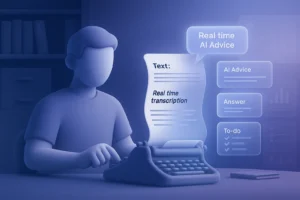
Unlimited transcription is included—even on the free plan. That alone makes Krisp stand out.
During a 90-minute sales meeting, text flowed in as people spoke. I highlighted key moments mid-conversation, which meant less cleanup afterward. Accuracy was strong in English. Spanish worked too, though heavy accents caused slips.
The experience felt natural. No visible bot, no awkward “why is this recording?” moment. Just silent transcription.
AI Notes, Summaries & Action Items
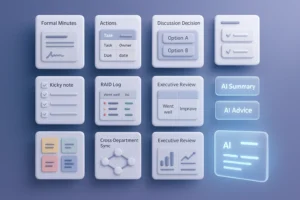
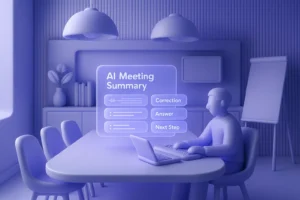
After a call ends, Krisp generates summaries, decisions, and action items.
In a consulting session, the notes landed in my dashboard within minutes. Tasks were even linked to names—useful when someone said, “I’ll send that report.” This saved me at least half an hour of manual note-taking.
But not everything was perfect. Sometimes the AI skipped nuance or mis-framed an action item. If you need deeper context and proactive suggestions during meetings, Proactor offers a more advanced “insight stream.” Krisp covers the basics well but doesn’t push into predictive territory.
Accent Conversion (Beta)
A standout feature is accent conversion. It makes English sound more neutral while keeping each speaker’s voice identity.
I tried it with a colleague from India. The result? Clients in the U.S. followed more easily, and the flow improved. The experience was great.
It’s not flawless—occasional words sounded odd. Still, for global teams, this tool felt like a breakthrough.
Call Center & Developer Options
Krisp isn’t just a personal productivity app. For call centers, it adds dual noise cancellation, accent conversion, translations, and monitoring tools. For developers, the AI Voice SDK lets you embed noise suppression and accent tech into custom apps.
This dual focus—end-user tool and enterprise infrastructure—sets Krisp apart from many meeting apps.
Integrations & Platforms
Krisp integrates with Slack, Salesforce, HubSpot, Zapier, and syncs with calendars. I connected it to Google Calendar, and meeting notes auto-shared right after sessions.
Platforms supported:
- Desktop (Windows, macOS) as a virtual mic/speaker
- Browser (Chrome extension)
- Mobile (iOS, Android) for offline transcription
One caveat: the mobile app doesn’t include noise cancellation. It’s transcription-only.
Pricing
Krisp’s pricing tiers cover individuals to enterprises:
- Free – Unlimited transcription & recording, 60 min/day noise cancellation, 2 AI notes/day, accent conversion 60 min/day, 7-day history.
- Pro – $16/month or $8/month billed annually. Unlimited transcription, recording, noise cancellation, AI notes, AI chat, 5GB storage, 17+ languages.
- Business – $30/month or $15/month annually. Adds 4h/day accent conversion, 30GB storage, SSO/SCIM, advanced integrations, governance.
- Enterprise – Custom. SOC 2 compliance, dedicated servers, local processing, advanced controls.
- Call Center Core – $10/agent/month annually. Dual noise cancellation, summaries, monitoring. Advanced plan adds accent conversion, macros, captions.
I started with Free. Unlimited transcription for zero cost is rare. But the daily noise cancellation cap—60 minutes—felt restrictive. Moving to Pro unlocked the full experience, and for heavy meeting users, it’s worth it.
For teams, Business or Enterprise offers control and compliance, but the price grows quickly. Fireflies and Avoma are cheaper alternatives, though neither matches Krisp’s audio focus.
(88 words — long pricing expansion)
Security & Privacy
Krisp emphasizes compliance:
- SOC 2 Type II, PCI-DSS, GDPR, HIPAA
- AES-256 encryption, TLS 1.2+/1.3+ in transit
- Noise cancellation processed locally (no uploads)
- Recordings stored in the cloud with encryption
I liked knowing most processing happened on my device. That’s a big win for privacy-conscious users. Bot-free recording also avoids sensitive “data-sharing” questions.
Pros & Cons
Pros
- Free plan includes unlimited transcription
- Two-way noise cancellation improves both sides
- Bot-free, discreet meeting experience
- Accent conversion helps global teams
- Works across desktop, browser, mobile, with integrations
Cons
- Mobile lacks noise cancellation
- Extreme noise can clip speech
- AI notes sometimes shallow
- Daily limits on Free plan reduce flexibility
- Higher cost for larger teams
Limitations
Krisp does sound clarity and transcription well. But it doesn’t do meeting intelligence. There’s no real-time suggestion stream, no context across past meetings.
If you need AI advice, action tracking, and contextual memory, Proactor is stronger.
Analytics is also basic. Tools like Avoma or Fireflies give dashboards, coaching, and deeper collaboration. Krisp stays focused on clean audio and simple notes.
Who Should Use It?
Krisp is ideal for:
- Remote workers struggling with noisy environments
- Teams needing reliable transcription and simple notes
- Call centers scaling communication across agents
- Developers embedding noise cancellation into products
But if your need is sales intelligence, real-time AI insights, or action coaching, Proactor or Avoma may be a better match.
Final Verdict
Krisp keeps meetings clear. That’s its promise, and in most cases, it delivers.
The highlights: unlimited transcription, two-way noise cancellation, and accent conversion. For me, the peace of mind—knowing noise wouldn’t derail a client call—was the biggest value.
The downsides: limited mobile features, shallow AI notes, and strict caps on the free plan. For casual users, the free tier is great. For professionals, Pro unlocks the full package.
Would I recommend it? Yes—for anyone prioritizing call clarity and simple notes. But if you need meeting-wide intelligence, proactive suggestions, or contextual memory, look at Proactor. Krisp solves the noise problem better than anyone, but it stops short of being a complete meeting brain.