This Read AI review 2025 explores a tool promising to do more than just listen. We are all drowning in a sea of virtual meetings, where critical information is shared one moment and forgotten the next. The administrative overhead of taking notes and summarizing calls is a significant drag on productivity.
What if an AI could not only document your meetings but also connect that knowledge to your entire digital workspace?
That’s the ambitious goal of Read AI. It positions itself not just as another meeting recorder, but as a comprehensive AI Copilot for your team’s collective intelligence. I’ve spent time using the platform to understand its real-world performance, its standout features, and its potential drawbacks.
What is Read AI
Read AI is an artificial intelligence copilot designed for meetings, emails, and messages. Its primary function is to automatically join your calls on platforms like Zoom, Google Meet, and Microsoft Teams. It then provides real-time transcription, generates a meeting summary, extracts action items, and even analyzes participant engagement metrics.
More than just a meeting assistant, Read AI aims to be an “all-in-one productivity AI”. It achieves this by connecting meeting data with other knowledge sources like your email and documents, creating a searchable, centralized hub of information for your entire team. This is a powerful concept that extends far beyond simple note-taking.
Key Features of Read AI
Let’s explore the core functionalities that make Read AI a compelling option in the crowded market of AI meeting assistants. I focused my testing on the features that provide the most tangible value.
Search Copilot: The Enterprise Knowledge Engine
The Search Copilot is without a doubt Read AI’s most powerful and differentiating feature. It allows you to perform a single search across all your connected data sources, including past meetings, emails, Slack messages, and cloud documents. Think of it as a private search engine for your company’s brain.
My experience with this was genuinely transformative. Instead of trying to remember which meeting a specific decision was made in, I could simply ask a natural language question. The tool would then provide a precise answer with citations pointing directly to the source. Remarkably, this core feature is available even on the free plan.
Meeting Reports and Real-time Dashboards
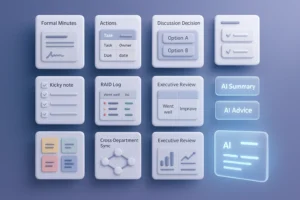
Read AI excels at generating highly structured and insightful meeting reports after each call. These reports include a detailed summary, a topic breakdown, key questions, and a full meeting transcription. This is incredibly useful for sharing context with team members who couldn’t attend.
What I found particularly impressive was the real-time meeting dashboard. During a live call, it displays the ongoing transcription, a running summary, and even provides metrics on participant engagement and sentiment. This gives the meeting host actionable data to adjust the meeting’s pace or direction on the fly, which felt very powerful.
Of course, it’s worth remembering that the value of these outputs hinges on transcription accuracy. While generally reliable, the AI can sometimes struggle with strong accents or rapid, overlapping conversations, which might necessitate a quick manual review of the transcript.
The Personalized Meeting Coach
This is a feature I haven’t seen executed as well elsewhere. The Meeting Coach provides private, data-driven feedback on your personal communication style. It analyzes metrics like your talking speed, use of filler words, and even the inclusiveness of your language.
The feedback is delivered privately within your post-meeting report, so you don’t have to worry about public critique. Over several meetings, I could see clear, actionable suggestions for improvement. For anyone serious about professional development, this is a fantastic tool that adds a layer of personal value beyond team productivity.
Deep Integrations and Platform Coverage
A tool’s utility is often defined by how well it fits into an existing workflow. Read AI offers robust integrations with essential business tools, including Slack, Salesforce, Jira, and Notion. This allows for the automatic pushing of meeting reports and action items, which is a huge time-saver.
It also provides comprehensive platform support with a web app, a Chrome extension for Gmail and Calendar, and a fully functional iOS app. The iOS app even allows you to record in-person meetings and get the same high-quality transcription and summary, unifying all your conversations in one place. An Android app is also planned.
Read AI Pricing
Let’s talk about the investment required for Read AI.
The platform’s pricing is structured in tiers, making it accessible for individuals while providing the necessary power and security for large-scale enterprise deployment. I found their model particularly compelling because of its generous free offering, which provides a genuine opportunity to test the core functionalities before committing. Each subsequent plan builds upon the last, adding higher limits and more advanced features.
| Plan | Price (USD/user/month) | Billing | Core Benefits |
|---|---|---|---|
| Free | $0 | – | • 5 meeting transcriptions per month • Unlimited enterprise search (Search Copilot) • Meeting summaries and coach features • Basic integrations and iOS App access • Maximum meeting duration of 1 hour |
| Pro | $15 | Annually | • Includes all Free plan benefits • Unlimited meeting transcriptions • Advanced integrations (Salesforce, HubSpot, Zapier, etc.) • 100 file uploads per month for search • Maximum meeting duration of 4 hours |
| Enterprise | $22.50 | Annually | • Includes all Pro plan benefits • Audio and video playback with highlight clips • 200 file uploads per month for search • Priority support access |
| Enterprise+ | $39.75 | Annually | • Includes all Enterprise plan benefits • Advanced security features (HIPAA, SSO/SAML) • Domain capture and data retention policies • 300 file uploads per month for search • Maximum meeting duration of 8 hours |
| EDU | $5 | Annually | • A discounted plan for students and teachers with a valid .edu email address, providing access to core features. |
It’s important to note that while the prices shown reflect the discount for annual billing, month-to-month options are available at a higher rate. For teams planning to integrate Read AI into their daily workflow, the annual plan offers a more economical advantage.
Security & Privacy
For any organization, allowing a third-party bot into meetings raises valid security questions. Read AI addresses this seriously. The platform has achieved SOC 2 Type II certification and is compliant with GDPR and HIPAA standards.
They implement end-to-end encryption for data in transit and at rest and provide administrators with robust controls for data retention and access. While the act of inviting an AI notetaker always requires careful consideration of a company’s data governance policies, Read AI provides the necessary enterprise-grade security framework.
Pros & Cons
No tool is perfect. Based on my experience and user reviews, here’s a balanced look.
The biggest pro is the incredible value of the free Search Copilot, which democratizes access to powerful knowledge search. Users consistently praise the tool for saving them time on manual note-taking and for the reliability of its meeting summary. Furthermore, its deep integration with Zoom as an Essential App provides a seamless experience for many teams.
However, a significant number of users on platforms like Trustpilot have complained about aggressive marketing and difficult subscription cancellation processes. Additionally, the presence of an AI bot can feel awkward in meetings with external clients, and its performance can degrade when dealing with heavy accents or highly technical jargon.
Limitations
The primary limitation of Read AI lies in its analytical depth during live conversations. While its real-time dashboard provides useful metrics like engagement, its core strength is in post-meeting reporting and cross-platform search, not in real-time problem-solving.
The AI is designed to be an excellent archivist and reporter. It is not built to actively participate or offer deep, context-aware suggestions as a conversation unfolds. If your primary need is an AI that proactively understands deep context and intent in real-time to offer solutions, an alternative like Proactor AI might be a better fit, as it focuses on active semantic insight.
Who Should Use It
Read AI is an excellent fit for several types of users. Remote and hybrid teams that depend on virtual meetings will find its automated reporting and search capabilities invaluable for staying synchronized.
Sales, customer success, and product teams can leverage its CRM integrations to automatically log meeting outcomes and action items, reducing manual data entry. Finally, organizations in regulated industries like healthcare or finance will appreciate the enterprise-grade security and compliance features offered in the Enterprise+ plan.
Final Verdict
So, what’s the final word in this Read AI review 2025?
Read AI is a powerful and impressively comprehensive tool that delivers exceptional value, especially through its free Search Copilot feature. It successfully expands the definition of a meeting assistant into a broader knowledge management platform. For teams looking to create a searchable, unified record of their conversations and knowledge, it is an outstanding choice.
While there are valid concerns about its marketing practices and the inherent limitations of AI transcription accuracy, the core product is solid. Its strengths in reporting, search, and enterprise security make it a top contender, particularly for medium to large businesses integrated into the Zoom ecosystem.