Taking AI Advice in Proactor seriously can transform the way teams run their meetings. Most AI note-taking tools simply record conversations or generate a post-meeting summary. But those features alone do not solve the real problem: meetings often lack clarity in the moment.
Proactor introduces something different. Instead of waiting until the meeting ends, it provides real time advice, corrections, and context-aware suggestions while people are still speaking. This makes every meeting smarter, faster, and more actionable.
What Is AI Advice in Proactor?
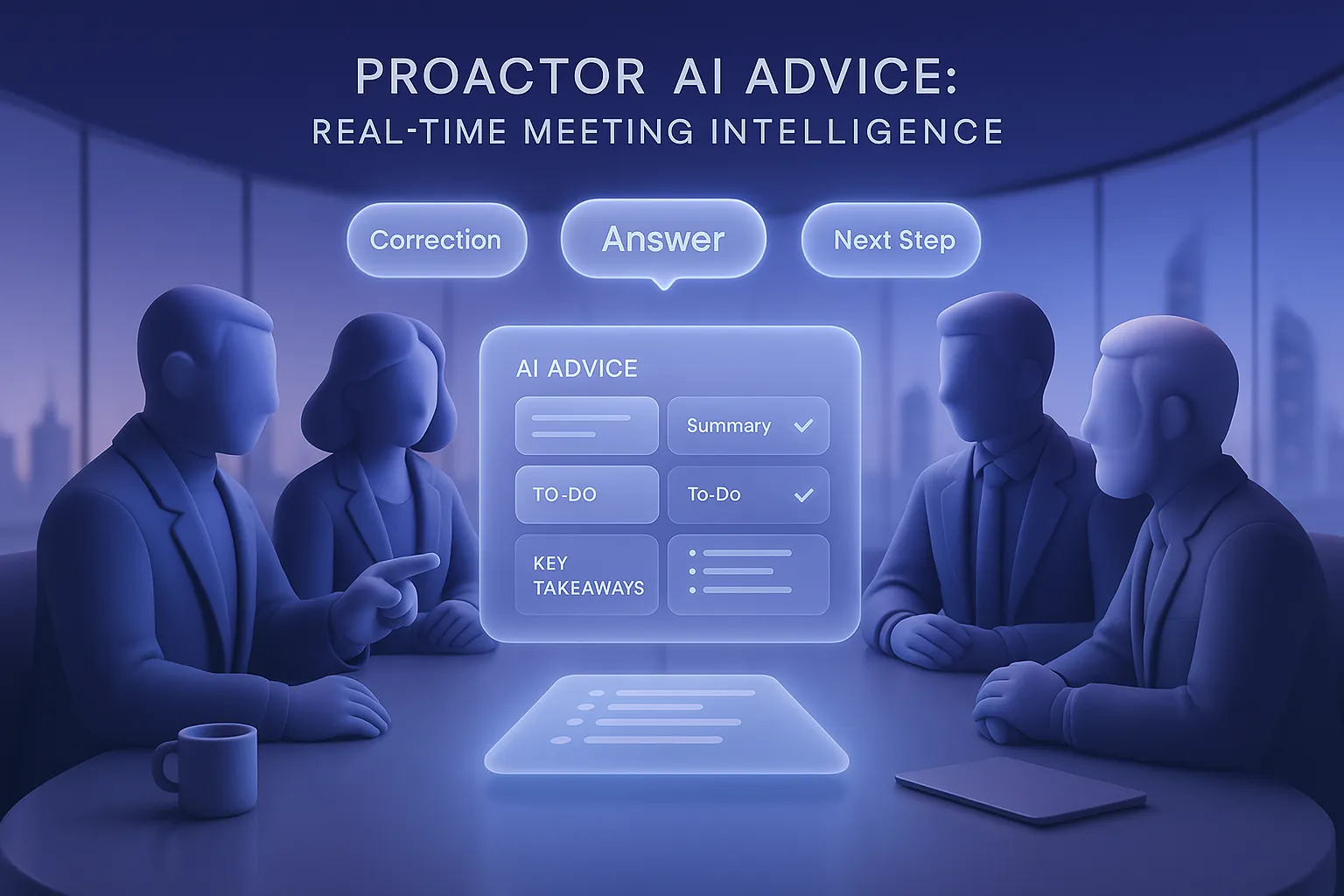
AI Advice is one of the most powerful modules inside Proactor. Unlike passive note-takers, it analyzes ongoing conversations and pushes insights back to you instantly.
The system listens in context. Over a short time window, it interprets the discussion and decides what might add value. Then it provides recommendations that are relevant, corrective, or supportive.
Its functions include:
- Context Enrichment: Offering background knowledge or extended explanation.
- Error Correction: Highlighting and fixing inaccuracies in real time.
- Question Answering: Giving immediate answers to questions raised.
- Anticipatory Insights: Predicting what information participants might need next.
This makes Proactor not just a recorder but a real partner during your meeting.
Why AI Advice Is Different (and Powerful)
Real-Time Context Awareness
AI Advice doesn’t simply react to keywords. It understands intent and context. This lets it judge when a suggestion will help the discussion move forward.
Active Corrections and Explanations
If someone shares an incorrect figure, AI Advice highlights it and suggests the correct one. It also explains unclear points, so participants stay aligned.
Immediate Answers
Instead of pausing to search documents, AI Advice can answer questions as they come up. This keeps the flow natural and efficient.
Anticipatory Support
By predicting what might come next, it surfaces relevant data or ideas. This helps teams prepare ahead and respond proactively.
Real-World Scenarios Where AI Advice Shines
Product Workshops
In product development workshops, discussions often revolve around feature priorities, resource allocation, and timelines. AI Advice in Proactor can instantly correct misunderstandings about deadlines, surface relevant customer feedback, or remind the team of prior commitments. This ensures conversations stay aligned and actionable.
Sales Meetings
Imagine you’re on a sales call. A client mentions budget limits. AI Advice can immediately surface relevant product pricing or suggest ways to reframe value. If a competitor’s name comes up, it may highlight key differentiators you can mention.
Candidate Interviews
During an interview, AI Advice can automatically pull relevant job requirements, remind you of the candidate’s past experience, or correct misunderstandings about their CV. This ensures the interview stays accurate and professional.
Cross-Department Collaboration
When marketing, product, and sales teams meet, information gaps often appear. AI Advice can fill these gaps by adding background context or clarifying details from previous meetings. This keeps discussions aligned and prevents redundant back-and-forth.
Investor or Executive Presentations
In strategy or investor meetings, leaders often face questions about revenue, market share, or competitor benchmarks. AI Advice can provide real time financial data or compliance notes to strengthen arguments, and correct any inaccuracies instantly. This makes high-stakes communication sharper and more credible.
Project Management Check-ins
In project status meetings, AI Advice can highlight overdue To-dos, identify potential blockers, and suggest alternative solutions. It ensures tasks are not just noted but tracked, making progress updates more focused and actionable.
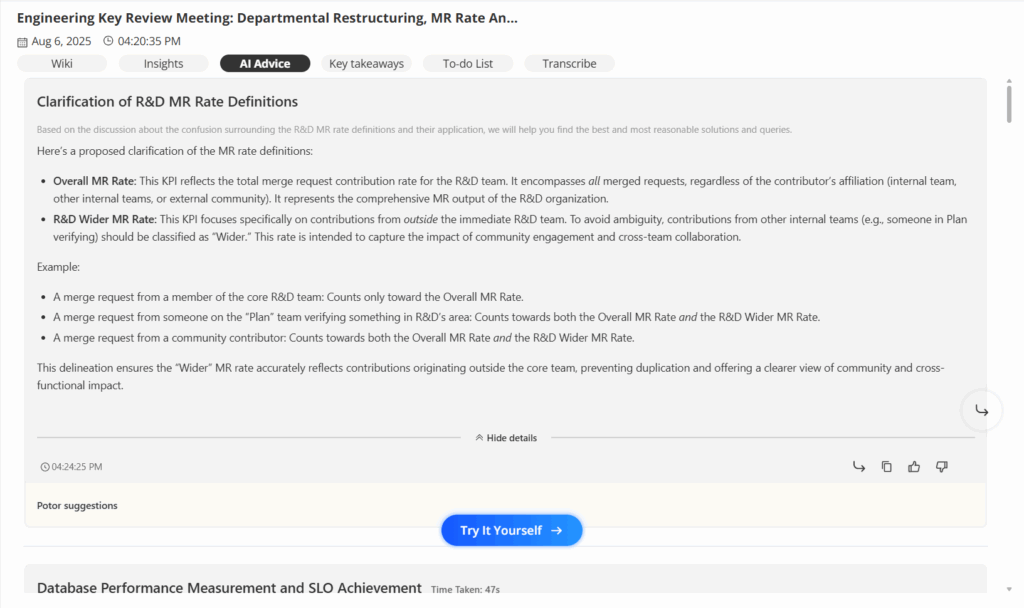
Use Case: AI Advice in Action
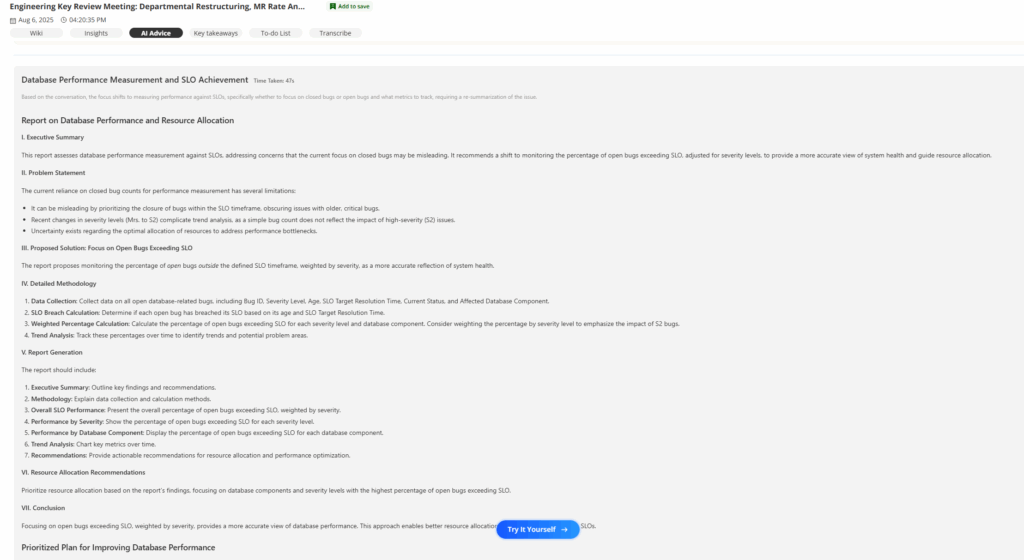
During a technical meeting, Proactor’s AI Advice generated the following suggestion in real time:
Database Performance Measurement and SLO Achievement
Time Taken: 47s
Based on the conversation, the AI recognized that the team was debating how to measure database performance against SLOs—whether to track closed bugs or open bugs. It then produced a detailed recommendation that reframed the problem, shifting focus toward open bugs exceeding SLOs, weighted by severity.
The advice included:
- Problem Statement: Relying on closed bug counts can be misleading, especially when high-severity issues remain unresolved.
- Proposed Solution: Track open bugs outside SLO timeframes, adjusted by severity, for a more accurate view of system health.
- Detailed Methodology: Guidance on data collection, SLO breach calculation, weighted percentages, and trend analysis.
- Actionable Recommendations: Resource allocation priorities, emergency fixes, query optimization, indexing strategies, and long-term monitoring improvements.
Within less than a minute, the team had a structured plan, including immediate critical steps (P1), high-priority actions (P2), and proactive optimizations (P3).
This example demonstrates how AI Advice in Proactor goes far beyond simple note-taking. It actively restructures complex conversations, clarifies what truly matters, and delivers a prioritized, actionable roadmap—helping teams make smarter decisions in real time.
⚡ Note: The version shown here is a simplified excerpt. In practice, AI Advice can provide even more detailed and comprehensive outputs during your meetings.
Benefits of Using AI Advice in Meetings
- Better decision-making: Accurate, corrected information prevents mistakes.
- Time savings: Less need to fact-check during or after the meeting.
- Reduced mental load: AI handles details, participants focus on dialogue.
- Improved collaboration: Everyone benefits from enriched context.
- Action-driven results: With To-dos and Wiki integration, decisions translate into tasks.
- Higher engagement: Participants can stay present without the distraction of note-taking.
How to Use AI Advice in Proactor
Before the Meeting
Log into Proactor and confirm that recording is enabled. AI Advice is usually active by default, so no extra setup is required.
For best results, outline the agenda in advance. A clear structure makes it easier for AI Advice to provide precise, relevant recommendations.
During the Meeting
Watch for AI Advice cards. They may appear when:
- More context is needed on the topic.
- Incorrect data needs correction.
- Someone asks a question that AI can answer.
- A participant might soon require supporting information.
You can click Refine to send the advice into Potor, where it can be expanded or explored more deeply.
For example, if a client raises a concern, AI Advice might suggest possible solutions. By clicking Refine, you can instantly generate deeper strategies to address the issue on the spot.
After the Meeting
Every piece of AI Advice is saved with its meeting. These meetings are stored in History. Over time, History becomes a searchable knowledge base.
This means your past conversations are not lost—they are assets. You can revisit old meetings, retrieve advice given, and apply it to new situations. With AI Chat, you can even query across meetings to surface insights instantly.
AI Advice vs. Traditional AI Note-Takers
| Feature | Traditional AI Tools | Proactor AI Advice |
|---|---|---|
| Real-time Support | ✘ | ✔ |
| Context Awareness | Limited | Advanced |
| Error Correction | ✘ | ✔ |
| Answering Questions | ✘ | ✔ |
| Anticipatory Suggestions | ✘ | ✔ |
| Post-meeting Reuse | Basic Summaries | Knowledge Base |
Traditional tools provide transcripts and summaries after meetings end. Proactor’s AI Advice ensures intelligence is available during the meeting, where it has the most impact.
Best Practices for Maximizing AI Advice
- Set clear agendas: Give structure so AI Advice can align with meeting goals.
- Use advice actively: Don’t ignore suggestions; consider them in real time.
- Leverage Refine and Potor: Expand advice into deeper strategies on demand.
- Connect with To-do and Wiki: Ensure insights become concrete next steps.
- Review after meetings: Check saved AI Advice in History for cross-meeting learning.
Following these practices ensures that AI Advice becomes an active partner, not just background noise.
FAQ
How is AI Advice different from AI summaries?
Will AI Advice interrupt the meeting?
Does AI Advice support multiple languages?
Does Proactor have a summary function?
Conclusion
AI Advice in Proactor upgrades meetings from passive record-keeping to real-time intelligence. It listens, interprets, and supports in the moment.
By correcting errors, enriching context, answering questions, and predicting needs, it transforms conversations into smarter collaboration.
Every meeting, stored in History, becomes part of a living knowledge base. Instead of losing discussions, your team gains a searchable memory that drives future success.
If you want meetings that are not only recorded but truly empowered, try Proactor AI Advice. It doesn’t just listen. It helps you move forward.