The purpose of meetings is to create clarity—but honestly, that’s often not the case. You may walk away with scattered notes, vague commitments, and that lingering question: “What did we actually decide?”
Over the past year, I tested several AI meeting assistants. While many promise to solve this problem, most only provide transcription or basic summaries.
Proactor AI takes a different approach. Instead of waiting until the meeting ends, it works in real time—capturing key points, prompting actions, and organizing information as the conversation unfolds.
This review breaks down what Proactor is, its key features, security measures, who it’s for, and how it performs in 2026.
What Is Proactor AI?
Proactor AI is a proactive AI meeting assistant. That “proactive” aspect is what sets it apart from other AI note-taking tools.
Unlike traditional tools that only record or summarize, Proactor provides real-time support throughout the entire meeting. It identifies tasks, organizes to-do lists, searches the web for suggestions, and builds a personal knowledge base for you.
In practice, this means you can stay fully engaged in the conversation without splitting your focus between talking and typing. Proactor handles the structure—you focus on the discussion.
Key Features of Proactor AI
Real-Time Transcription
Proactor AI delivers impressive transcription accuracy, with speech-to-text accuracy exceeding 95%.
It generates timestamps for each part of the conversation, making it easy to revisit key moments without scanning the entire meeting.
Summaries and Key Takeaways
Proactor AI’s summary feature works in real time, generating progressive summaries and key takeaways as the meeting unfolds.
During the conversation, Proactor quietly creates micro-summaries that capture essential points and key moments.
By the end of the meeting, you already have a clear, structured outline—no need to replay an hour-long recording to extract insights.
With Proactor, you can quickly review what matters most and avoid the stress of piecing everything together afterward.
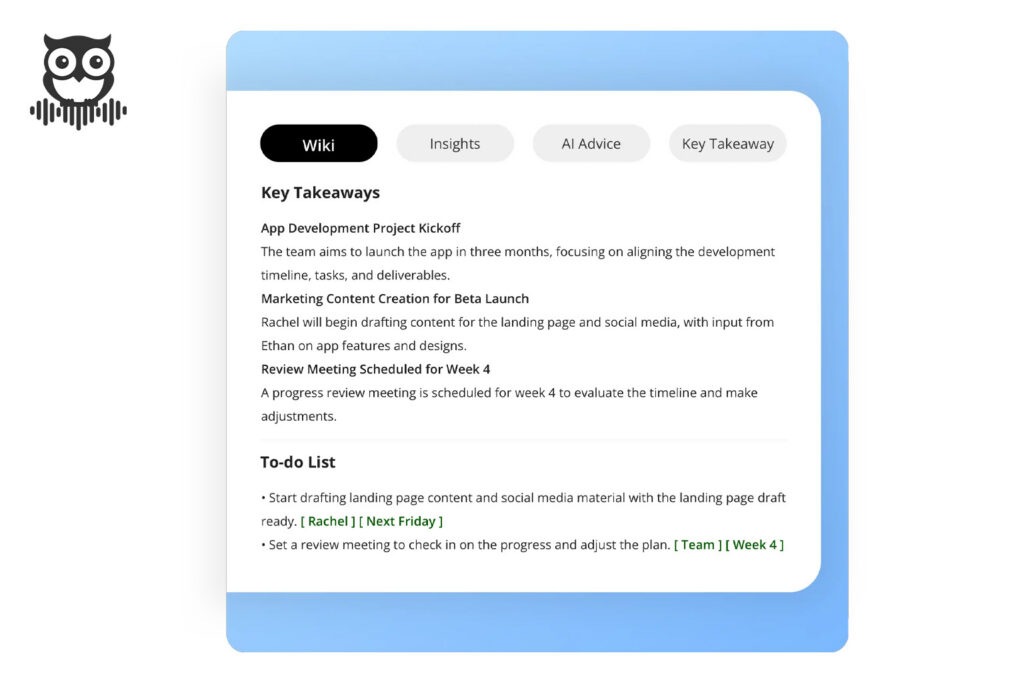
Auto-Generated To-Do Lists
Proactor AI automatically generates to-do lists, making it easy to track tasks during and after meetings.
As the meeting progresses, Proactor listens actively, identifies tasks, action items, and commitments, and organizes them into structured lists with full context.
After the meeting, you receive a complete task list without any manual effort. Each item is clearly defined, contextualized, and easy to assign.
For me, this eliminates the common confusion of “Wait, who’s responsible for this?” and ensures everyone knows what to follow up on.
Proactive AI Suggestions
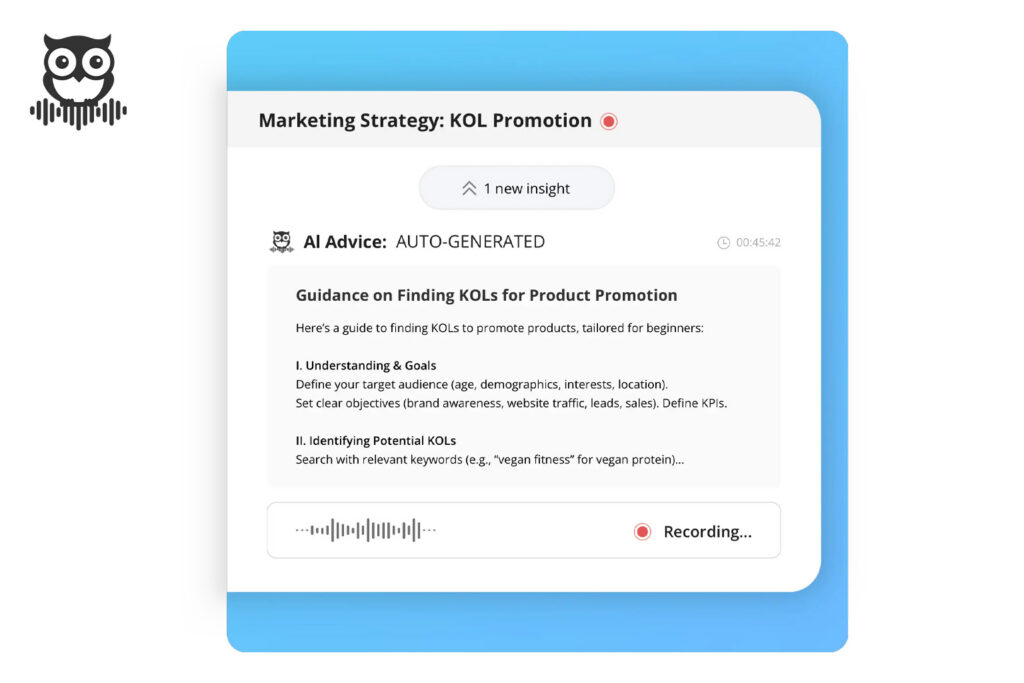
Proactive AI suggestions are where Proactor truly stands out.
While taking notes, Proactor actively monitors key topics and potential issues, and searches the web in real time to provide relevant recommendations.
It functions like a decision-making AI assistant, helping you process information and anticipate challenges.
For example, during a sales call, Proactor prompted: “The client has raised budget concerns twice—clarify now.” Without that nudge, I might have overlooked it.
Proactor doesn’t just record—it guides you through critical moments by offering insights, suggestions, and even highlighting missed opportunities.
This proactive, decision-support role is Proactor’s defining strength, ensuring important issues are addressed and decisions are made with confidence.
Insight Stream
Think of it as a live feed of observations. When someone makes a commitment—“I’ll send the report on Monday”—Proactor flags it instantly, so there’s no need to scramble later to confirm who agreed to what.
Meeting Wiki
Each meeting gets its own dedicated Wiki page, including summaries, transcripts, tasks, and suggestions. If a teammate misses the meeting, simply share the Wiki—no need to re-explain everything.
Potor AI Assistant
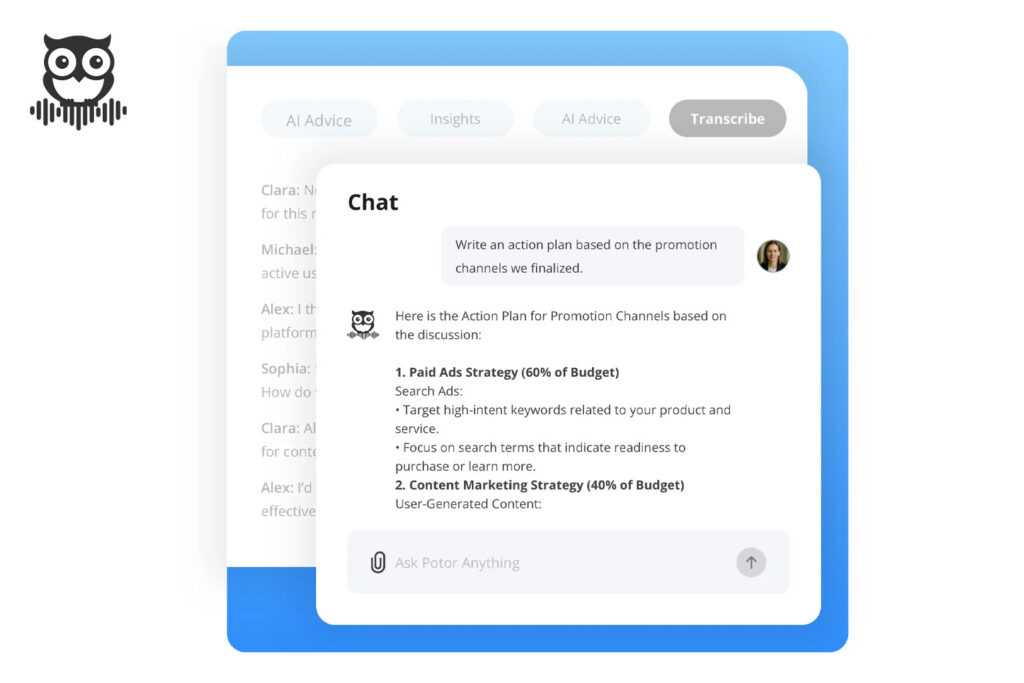
Potor, Proactor’s AI assistant, is easily one of the most practical note-taking tools in 2026. After weeks of meetings, details can get messy—but Potor solves this effortlessly.
When I asked, “List all client follow-ups from last week,” Proactor returned a complete list within seconds. No need to dig through multiple notes—everything is organized and easy to access.
Knowledge Search
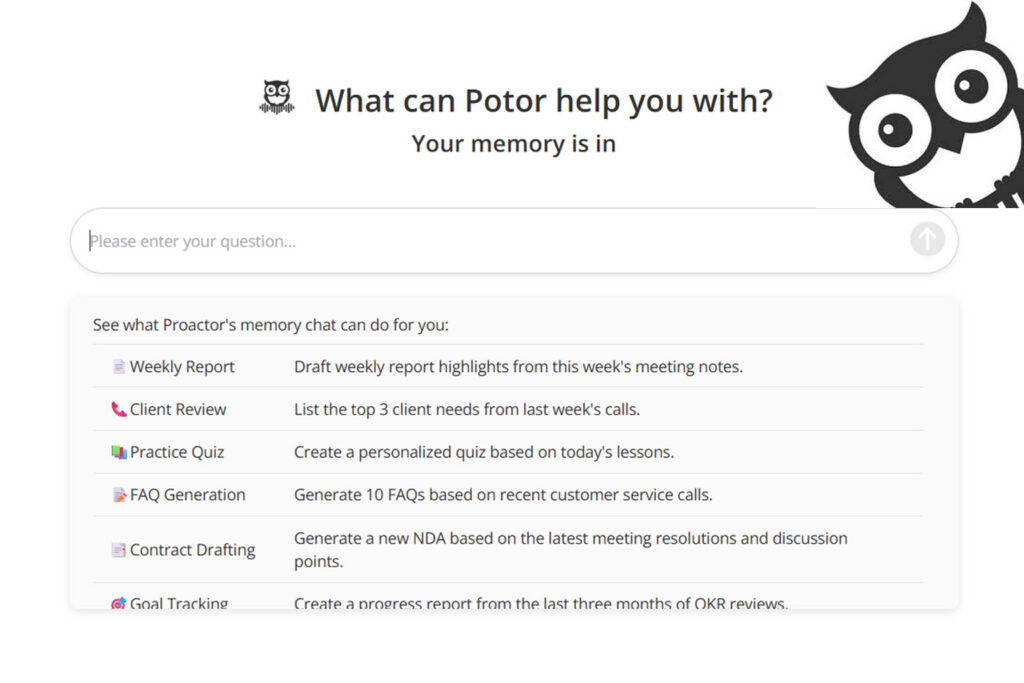
No need to manually type keywords into a search bar. With Proactor AI, you can simply ask a question and instantly retrieve relevant information from your notes.
For example, I asked, “When did we last discuss our SEO strategy?” Proactor immediately jumped to the exact moment in the transcript. It feels less like searching and more like recalling a well-organized memory.
Audio to Text
Proactor also supports file uploads. I tested it with MP3 podcasts and MP4 webinar recordings.
Within minutes, both were fully transcribed and summarized. Supported formats include AAC, MP3, M4A, WAV, WMA, MOV, MPEG, MP4, and WMV. For anyone with a backlog of recordings, this feature is a lifesaver.
Mobile Apps
Proactor is available on App Store and Google Play.
I tested the iOS version during a client lunch—recorded directly from my phone, and the transcript synced perfectly to my web account later. Offline recording worked smoothly and synced automatically once back online.
Security and Privacy
Any tool handling sensitive conversations must prioritize security. Proactor includes:
- TLS encryption for data in transit and AES-256 for data at rest.
- Role-based access control for sensitive meetings.
- Compliance with GDPR and CCPA regulations.
- Secure cloud infrastructure with redundancy.
- Clear data ownership—you retain full control of your data.
This gives me confidence when handling sensitive discussions.
Benefits After Use
Using Proactor delivers several immediate benefits:
- No more splitting attention between note-taking and active listening.
- Improved team follow-through with fewer missed action items.
- Instant summaries after meetings—no need to replay recordings.
- New team members can quickly catch up via the Wiki without extra explanations.
The biggest gain? Meetings consistently end with clear next steps instead of vague discussions.
Who It’s For
Based on testing and user feedback, Proactor is well-suited for:
- Sales teams: capture buyer signals, track follow-ups, and close deals faster.
- Project managers: track ownership and deadlines without manual effort.
- Executives: focus on strategy while Proactor handles the details.
- Educators and students: upload lectures and generate usable notes.
- Journalists and podcasters: convert interviews into transcripts quickly.
- HR and recruiters: record interviews and generate structured evaluations.
- Consultants: automatically generate polished client notes.
Pricing
Proactor plans include:
- Basic (Free) → 30 transcription minutes/month, 100 AI credits, AI suggestions preview.
- Pro ($15.99/month, billed annually) → 1350 minutes, 3400 credits, full AI suggestions.
- Business ($39.99/month, billed annually) → 3600 minutes, 9100 credits, priority support.
- Enterprise (Custom) → unlimited usage, advanced integrations, dedicated account manager.
For individual use, the Pro plan is sufficient. Business is better suited for teams with frequent daily meetings.
Comparison with Other Tools
Compared with other tools I’ve tested:
- Otter.ai → strong transcription and collaboration, but mostly passive.
- Fireflies → affordable with good integrations, but lacks real-time guidance.
- Avoma → excellent for sales coaching, but expensive and less flexible outside sales.
- Jamie → simple and lightweight, but limited automation and enterprise readiness.
Proactor is newer and still expanding integrations, but it outperforms others in turning meetings into actionable outcomes.
Why I Recommend Proactor (2026)
Work has changed—distributed teams, hybrid schedules, and more meetings than ever. Transcription alone is no longer enough; what matters is whether meetings drive results.
Proactor addresses this directly. From proactive suggestions and automatic task generation to file uploads and mobile support, it streamlines real workflows and reduces friction.
Final Thoughts
If you only need transcription, Otter is sufficient. If summaries are enough, Fireflies works. If you focus heavily on sales coaching, Avoma is a good fit.
But if you want a cross-industry tool that captures tasks automatically, provides real-time guidance, enables searchable history, and works across desktop and mobile—Proactor is the one to consider in 2026.
It doesn’t just give you notes—it ensures every meeting leads to real outcomes.