
Looking for a faster way to take progress notes — without doing all the typing?
Whether you’re in healthcare, school, therapy, or business, writing notes can take up hours every week. That’s where AI progress note generators come in. These smart tools listen, learn, and turn what you say into clean, clear summaries — ready to use or share.
In this guide, you’ll find 9 of the best AI-powered progress note tools, all with free plans to help you get started. We cover tools for every setting — from SOAP notes for clinics to real-time action summaries for meetings. Plus, we’ll show you what makes each tool special, what they’re best at, and how much they cost.
TL;DR – Tool Comparison at a Glance
| Tool | Best For | Format Support | Real-Time? | Free Plan | Standout Feature |
|---|---|---|---|---|---|
| Proactor | Meetings & Action | Summary / To-do / Advice | ✅ Yes | ✅ | Real-time AI insights, not just notes |
| SoapNote | Medical / Therapy | SOAP | ❌ No | ✅ | Classic clinical format |
| Notedly | Academic settings | Summary | ❌ No | ✅ | Lecture-to-summary conversion |
| Carepatron | EHR & templates | SOAP/DAP | ❌ No | ✅ | EHR integrations + templates |
| Tavrn | Therapists | SOAP/DAP | ❌ No | ✅ | Therapist-focused + HIPAA |
| Fireflies | Meeting-based teams | Transcript/Summary/Tasks | ✅ Yes | ✅ | NLP + decision/action tracking |
| Otter.ai | General users | Transcript/Summary | ✅ Yes | ✅ | Easy speaker separation |
| ChatGPT | DIY custom prompts | Any (flexible) | ❌ No | ✅ | Build-your-own template |
| Aisera | Enterprises | Notes + Workflow | ✅ Yes | Trial | Ticket + meeting workflow automation |
I. Why AI Progress Note Generators Are Game-Changers
Writing progress notes is critical, but it often eats up time and attention. Whether you’re a healthcare provider, therapist, educator, or team lead, documenting insights manually is tedious and error-prone.
AI progress note generator free tools change that. They transform your speech or typed text into clean, structured notes instantly — helping you:
- Save time
- Stay consistent
- Reduce documentation fatigue
📊 Tools like Proactor AI take it further by generating not just notes, but proactive suggestions and next steps — all in real time.
II. What Is an AI Progress Note Generator Free?
An AI progress note generator is software that uses artificial intelligence (AI), natural language processing (NLP), and often voice recognition to:
- Capture spoken or written input
- Identify key insights or events
- Organize them into structured formats (like SOAP, DAP, or meeting summary)
Free versions typically allow limited usage per month, core note formatting, and basic export options. Premium tiers add things like:
- API & CRM integration
- Unlimited use
- HIPAA or SOC-2 compliance
- Advanced customization
III. 9 Best AI Progress Note Generator Free Tools (2025 Edition)
1. Proactor AI — Best for Real-Time Meeting and Action Notes

Proactor AI is the best app in this category because it goes far beyond transcription — delivering real-time summaries, action items, and intelligent suggestions based on full meeting context. Its proactive AI engine offers a dynamic experience that helps you understand, decide, and act — all while the conversation is happening.
The platform consistently delivers high-accuracy transcription and actionable notes with incredible speed, rivaling premium note-taking solutions while offering a generous free tier. It’s purpose-built for fast-paced environments like consulting, remote teams, therapy, and education — where every second and every insight count.
What sets Proactor apart is its ability to:
- Identify decisions and to-dos instantly
- Offer AI-driven suggestions (like risk analysis or task prioritization)
- Create structured meeting wikis and export-ready summaries
It’s not just a transcription service — it’s a real-time thinking assistant that keeps your team aligned, helps reduce miscommunication, and ensures nothing gets lost after the call.
Finally, you never have to worry about data security. Proactor complies with GDPR, uses secure encryption standards, and allows you to delete or control all stored content — giving peace of mind to professionals handling sensitive data.
If you need a note tool that thinks ahead and turns conversations into clear, organized outcomes, Proactor AI is the one to beat.

Key Features:
- 🔹 Real-Time Transcription — High-accuracy voice-to-text with automatic semantic segmentation.
- 🔹 AI Advice Engine — Context-aware suggestions during meetings, including technical paths, root cause analysis, and next steps.
- 🔹 Live Key Takeaways — Auto-captured decisions, outcomes, and insights tagged with timestamps.
- 🔹 To-do List Generation — Tasks are identified and linked to action owners, deadlines, and discussion context.
- 🔹 Smart Meeting Wiki — Meeting content is auto-organized into overview, discussion points, conclusions, and follow-ups.
- 🔹 Potor Integration — Built-in multi-turn Q&A agent for deep follow-up, memory search, and summarization refinement.
- 🔹 Export Flexibility — Notes, summaries, and structured reports exportable in Markdown, PDF, or as team-sharable links.
Unique Advantages:
- ✅ Proactive AI — Doesn’t wait for prompts. Proactor listens, understands, and acts in the moment.
- ✅ Memory Across Sessions — Recall details from previous meetings using semantic search.
- ✅ Fully Structured Output — Not just a blob of text. Outputs include segmented key takeaways, final decisions, and mapped actions.
- ✅ Multilingual Support — Works with 10+ languages including English, Spanish, Japanese, Chinese, and more.
Who It’s For:
- Remote teams, consultants, therapists, sales leads, educators, and medical professionals needing structured summaries and real-time clarity.
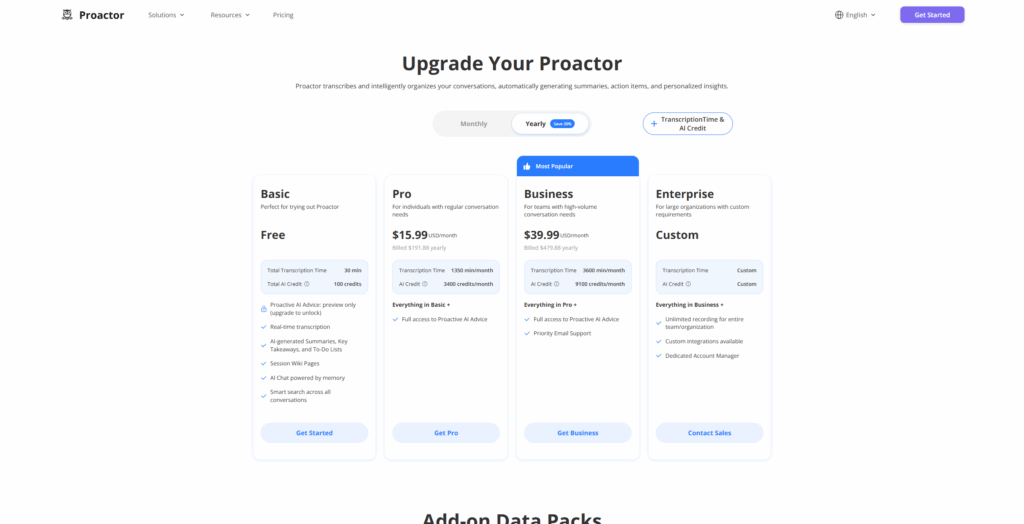
Free Plan: 30 minutes/month, 100 AI credits, basic AI summary access
Pro Plan: $15.99/month — includes full access to AI Advice, To-do exports, cross-meeting recall
Why It Stands Out:
Proactor doesn’t just help you take better notes — it helps you understand, decide, and act while the conversation is still happening.
2. SoapNote AI — Best for Clinical SOAP Notes

SoapNote AI is a web-based tool made for healthcare professionals. It helps users create SOAP (Subjective, Objective, Assessment, Plan) format notes. It uses standard templates and lets users type or select options to build notes quickly. No login is needed, and the tool is easy to use for clinics and solo therapists.
SoapNote AI is simple but very focused. If you follow the SOAP format in your daily work, this tool can save you a lot of time. It’s great for writing clean, consistent clinical notes without the need for advanced features or setup.
To use SoapNote AI:
- Open the website (no login needed).
- Select your note format (default: SOAP).
- Fill in patient info using prompts or free text.
- Export and paste into your EMR/EHR.
SoapNote AI stands out by simplifying clinical documentation for solo practitioners, interns, and small teams. The platform offers medical-specific phrasing and standardized structure with minimal setup. While the interface is simple, it fulfills core needs for compliance and professionalism.
Pros:
- It provides fast, standardized SOAP formatting.
- The platform requires no login for basic use.
- It is great for clinics that need consistency without added complexity.
- The basic version is free to start.
Cons:
- It does not include AI-powered summarization.
- The system lacks audio transcription or speech-to-text features.
- It is not suitable for complex, multi-modal workflows.
Price:
- Audio-only subscription: $69/month (for unlimited audio notes)
- Full plan (audio + text): $79/month
- Pay-As-You-Go packs: e.g. $9 for 10 text notes, $59 for 100 text + 5 audio, etc.
SoapNote AI is purpose-built for healthcare professionals who rely on the SOAP format for structured clinical documentation.
Key Features:
- Dedicated template for SOAP (Subjective, Objective, Assessment, Plan)
- Quick input via forms or free-text dictation
- Customization based on medical specialty
- Web-based interface
Who It’s For:
- Physicians, therapists, psychologists, and clinical interns
Free Plan: Daily usage limits on note generation Premium Plan: Starting from $9.99/month
Why It Stands Out:
Streamlines medical documentation using a format most clinicians already rely on.
3. Notedly AI — Best for Academic Progress Notes
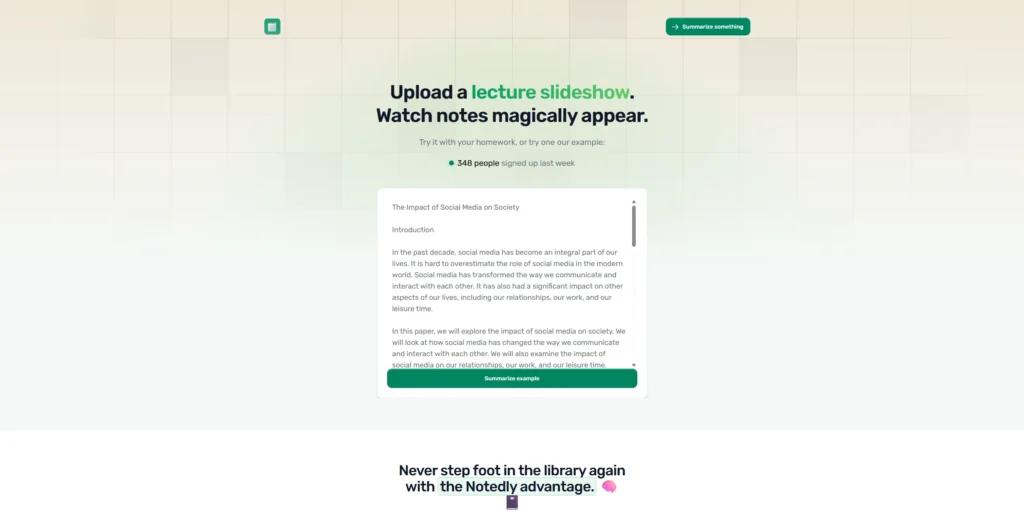
Notedly AI is a tool for students and teachers. It takes class recordings or text and turns them into summaries. It works best for academic content like lectures, study sessions, or research reviews. Users can upload files, and the AI creates notes for study or sharing.
This tool is perfect for students who want to focus during class instead of trying to write everything down. It helps with reviewing and saves hours of time before tests or presentations.
To use Notedly AI:
- Upload a class recording or a text document — it supports both.
- Let the AI process the content — it automatically summarizes key ideas.
- Export the structured academic summary — the output is ready for studying or sharing.
Notedly is particularly useful in fast-paced academic environments where students can’t write everything down during lectures. It saves hours of review time and helps with concept recall before exams.
Pros:
- It is tailored for academic vocabulary and lecture rhythm.
- The system automatically identifies key concepts.
- It is simple to use and specifically designed for students.
- It works well for remote learning and flipped classrooms.
Cons:
- It does not support transcription of live conversations.
- The depth of summaries may vary depending on audio quality.
- It offers limited customization of output format.
Price:
- The free plan may allow limited uploads or usage
- Some sources cite a paid plan around $5.99/month for expanded usage
- Because there’s no clear public pricing official page confirmed, this should be treated as an estimate & subject to change
Notedly AI is designed with educators, students, and researchers in mind. It excels at transforming learning sessions into organized summaries.
Key Features:
- It allows users to upload lecture recordings or class notes.
- The AI identifies main points and generates concise summaries.
- It produces notes that are easy to review and share.
- It uses clean, academic-friendly language throughout.
Who It’s For:
- Students, teaching assistants, university faculty
Free Plan: Limited uploads and note generations per week Why It Stands Out:
Makes lecture review painless and speeds up academic documentation.
4. Carepatron — Best for Healthcare Practice Integration

Carepatron is a full platform for healthcare teams. It includes tools for progress notes, scheduling, billing, and patient management. It supports SOAP, DAP, and narrative notes. The system is HIPAA-compliant and works well with electronic health record (EHR) systems.
This tool is more than just for notes — it helps manage your entire clinic or practice. If you want one platform for all your healthcare tasks, Carepatron brings everything together in one place.
To use Carepatron:
- Create a free account — it only takes a few minutes.
- Choose a note template — the system supports SOAP, DAP, and narrative styles.
- Input your notes manually or use transcription — it works for both.
- Export or attach the notes to patient records — it integrates with popular EHR systems.
The platform is built for both solo providers and full care teams. It supports team collaboration across all stages of care — from patient intake to follow-up.
Pros:
- It offers both practice management and AI-powered notes in one place.
- The system includes templates for SOAP, DAP, and narrative formats.
- It supports collaboration for multiple providers.
- It is fully HIPAA-compliant and safe for sensitive patient data.
Cons:
- It has a steeper learning curve for non-medical users.
- Some advanced AI features are only available with a paid plan.
Price:
- Carepatron offers a free version with basic templates and features
- Paid plans start at $7/month (annual billing) with full AI features unlocked in the Plus plan at $9.50/month.
- Exact pricing may vary by country, number of users, and add-on modules — check Carepatron’s official pricing page for latest rates
Carepatron is more than a progress note tool — it’s a complete practice management system with AI note generation capabilities.
Key Features:
- It includes built-in templates for SOAP, DAP, and narrative notes.
- It connects easily with EHR systems.
- Collaborative team features
- Secure and HIPAA-compliant
Who It’s For:
- Clinics, telehealth providers, healthcare teams
Free Plan: Yes, includes AI-assisted notes and practice tools Why It Stands Out:
Seamlessly blends AI note generation into the clinical workflow.
5. Tavrn — Best for Therapist Progress Notes
Tavrn is built for mental health professionals. It focuses on SOAP and DAP notes, using guided fields and therapy-focused language. It supports HIPAA compliance and lets users export notes for record keeping or sharing.
Tavrn makes writing therapy notes feel simple and natural. It uses wording that fits counseling sessions and helps therapists focus on the client, not the paperwork.
To use Tavrn:
- Register and log in
- Choose your preferred note structure (SOAP or DAP)
- Fill in fields via guided prompts or type freely
- Export your note as PDF or copy to your EHR
Tavrn shines in therapy settings thanks to its focused language modeling and privacy-first design. It helps solo practitioners and therapy practices reduce time spent writing notes after every session.
Pros:
- Therapy-specific phrasing and structure
- Easy guided note creation
- HIPAA-compliant and secure
- Fits seamlessly into counseling workflows
Cons:
- No speech-to-text features
- Limited integration with external systems
Price:
- Free for limited notes
- Paid plans start at $8/month with unlimited notes and premium templates
Tavrn focuses exclusively on therapy documentation, with strong support for DAP and SOAP formats tailored to mental health contexts.
Key Features:
- Intuitive prompt-based entry
- Emotionally aware AI trained on therapy dialogue
- Private and HIPAA-compliant cloud storage
- Export options for client records
Who It’s For:
- Therapists, life coaches, social workers
Free Plan: Limited to a number of notes/month Why It Stands Out:
Designed specifically for therapy notes — no extra fluff.
6. Fireflies.ai — Best for Team Collaboration Notes
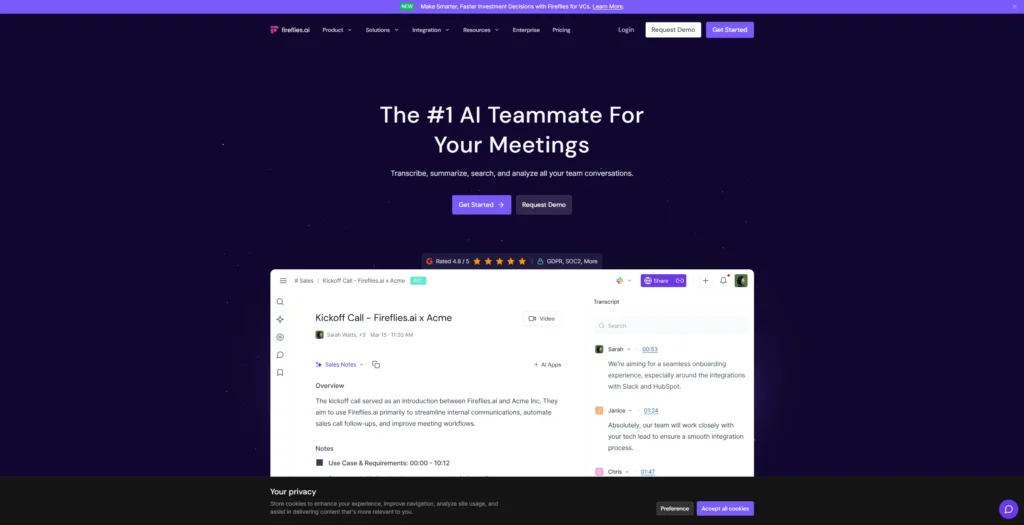
Fireflies.ai is a meeting assistant that records, transcribes, and summarizes calls. It works with Zoom, Google Meet, and Microsoft Teams. The tool also helps track action items and supports integrations with Slack, Notion, Trello, and more.
If your team runs a lot of virtual meetings, Fireflies can help make sure nothing is forgotten. It’s especially helpful when projects move fast and you need to stay organized.
To use Fireflies:
- Sync your calendar or manually start a recording
- Let the Fireflies bot join and record the meeting
- Review the transcript and AI-generated summary in your dashboard
Fireflies stands out due to its NLP-powered insights and integrations with project management tools. Teams can tag action items, search across meetings, and revisit exact audio snippets anytime.
Pros:
- Auto-captures meeting minutes, action items, and follow-ups
- Integrates with Slack, Notion, Trello, Salesforce, and more
- Easy to search and filter notes by keyword or speaker
Cons:
- Bot-based (some users dislike auto-joining bots)
- Summary accuracy varies depending on accents and noise
Price:
- Free plan includes 800 mins/month
- Pro plan starts at $10/user/month
Fireflies.ai automatically records, transcribes, and summarizes your online meetings.
Key Features:
- Meeting recording and speaker labeling
- Smart AI summary, action items, and decision tracking
- Searchable transcript archive
- Chrome extension & integrations (Zoom, Slack, Notion)
Who It’s For:
- Teams who rely on virtual meetings
Free Plan: Includes 800 mins/month of transcription Why It Stands Out:
Makes team conversations actionable with minimal effort.
7. Otter.ai — Best for Everyday Note-Taking
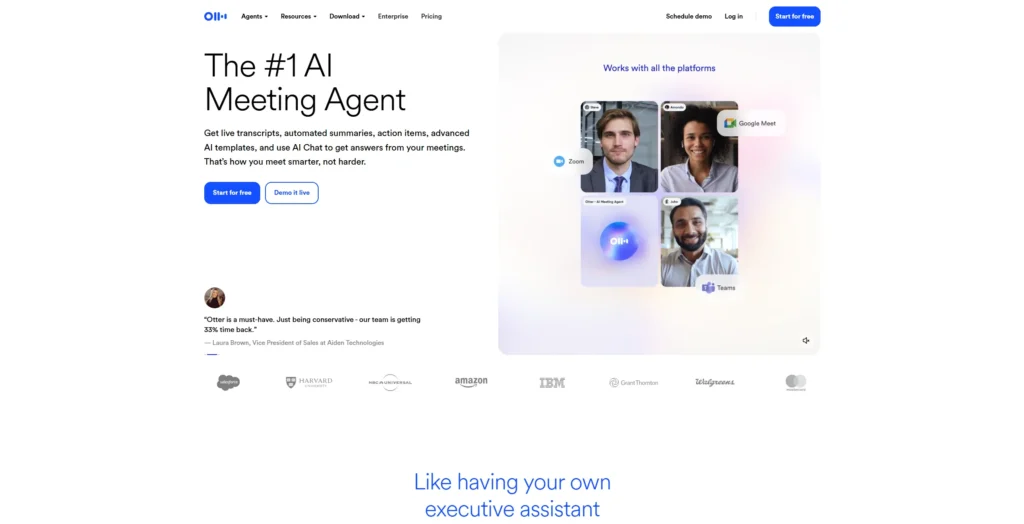
Otter.ai is a voice transcription tool used by individuals and teams. It records live conversations, transcribes audio, and adds speaker labels. Users can edit, highlight, and export notes easily. It supports mobile and desktop use.
Otter is great for people who want a quick way to turn spoken words into searchable text. It’s easy to use and works well for business, school, or personal meetings.
To use Otter.ai:
- Start a live recording or upload audio
- The system transcribes as you speak or processes uploaded content
- Review and edit the notes or highlight key points for sharing
Otter is especially useful in business, education, and journalism. It supports collaborative note editing, allows for speaker identification, and is ideal for people who want to stay organized without complex workflows.
Pros:
- Great mobile + desktop support
- Speaker tagging + real-time transcription
- Easy export and integration with Dropbox, Zoom, etc.
Cons:
- Limited minutes in free plan
- Less structured outputs than medical/therapy-specific tools
Price:
- Free plan offers 300 mins/month
- Pro plan starts at $16.99/month
Otter.ai is one of the most popular real-time transcription tools, known for its simplicity and strong mobile features.
Key Features:
- Live transcription and summaries
- Supports Zoom, Google Meet, and MS Teams
- Multi-device syncing and mobile-friendly interface
Who It’s For:
- Managers, educators, project leads
Free Plan: 300 mins/month Why It Stands Out:
Easy to adopt and dependable for structured summaries.
8. ChatGPT (with Custom Prompts) — Best for DIY Templates
ChatGPT is not a note-taking app by default, but with custom prompts, it can create progress notes in many styles. You paste your text, ask the AI to reformat it, and copy the results. It works for SOAP, DAP, or any format you like.
This option is great if you like full control. You can build your own note format and get exactly what you want — but it works best if you’re comfortable writing prompts yourself.
To use ChatGPT:
- Paste a transcript or summary of a session
- Use a prompt like: “Convert this to a SOAP progress note with bullet points”
- Copy and save the output to your system
ChatGPT gives full creative control to users who are comfortable crafting prompts. You can format therapy notes, meeting recaps, or academic memos to your specific needs.
Pros:
- Extremely flexible
- No templates or fixed workflows
- Great for experimenting with different note styles
Cons:
- Requires manual input and prompt design
- No automated data capture or integrations
Price:
- Free tier available (OpenAI ChatGPT or integrated tools)
- Paid tiers unlock faster response times and longer memory
With the right prompts, ChatGPT can become your personalized progress note assistant.
Key Features:
- Can mimic SOAP, DAP, and custom formats
- Copy-paste transcripts for summarization
- Prompt-based flexibility
- No-code customization
Who It’s For:
- Power users, freelancers, coaches
Free Plan: Available via OpenAI web app Why It Stands Out:
Ultimate flexibility for those who know what they want.
9. Aisera — Best for Enterprise Automation
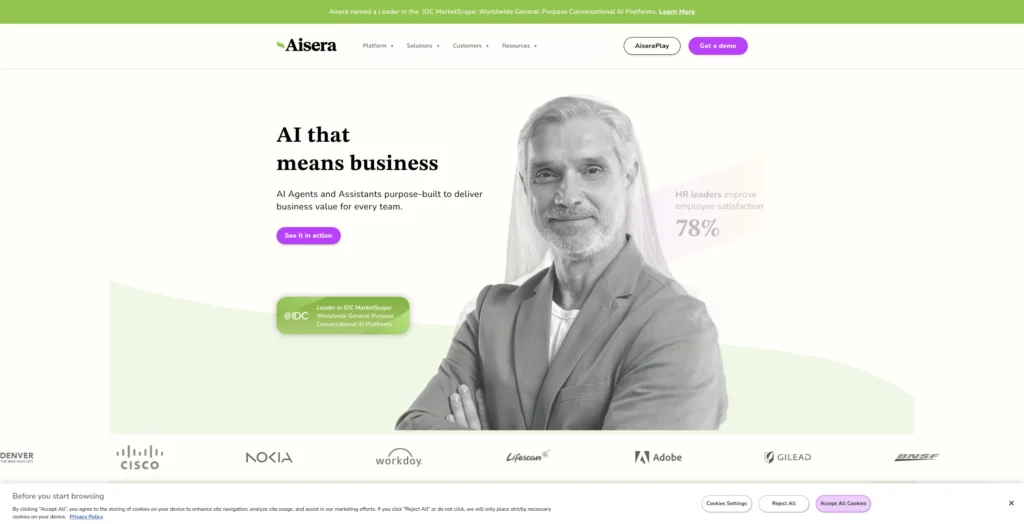
Aisera is an AI platform for big companies. It connects to tools like ServiceNow or Jira and helps with meeting notes, support tickets, and workflow automation. It works across departments like IT, HR, or customer service.
If you run a large business and want to automate meetings, tasks, and systems, Aisera is a powerful choice. It does much more than just take notes — it powers entire workflows.
To use Aisera:
- Connect Aisera with your collaboration and IT service tools
- Enable AI agents to capture meeting notes or incident records
- Configure workflows for ticketing, routing, and escalation
Aisera is best suited for enterprises looking to automate beyond transcription. Its power lies in transforming conversational data into knowledge that triggers next steps, making it ideal for support, HR, and IT.
Pros:
- Deep integrations with ServiceNow, Salesforce, Microsoft
- AI-driven summaries and classification
- SOC-2, GDPR, and HIPAA compliant
Cons:
- Requires enterprise onboarding and setup
- Overkill for solo professionals or small teams
Price:
- Free trial available
- Custom enterprise pricing upon request
Aisera is a robust platform for large-scale automation, including ticketing and documentation workflows.
Key Features:
- AI agent that captures meeting summaries and task progress
- Integrates with ITSM tools like Jira, ServiceNow
- NLP-driven workflow automation
- Audit trails and SOC-2 compliance
Who It’s For:
- Enterprise teams, IT departments, customer success
Free Trial: Yes, on request Why It Stands Out:
Automates more than notes — automates your entire ops flow.
IV. How to Choose the Right Progress Note Generator
| Use Case | Top Choice | Why It Fits |
|---|---|---|
| Medical (SOAP) | SoapNote, Carepatron | Template-based clinical notes |
| Mental Health (DAP) | Tavrn | Therapist-specific language, HIPAA-safe |
| Academic/Research | Notedly | Lecture upload + clean summaries |
| Meeting/Projects | Proactor | Real-time insights + action items |
| DIY Format Control | ChatGPT | Custom prompt = full flexibility |
| Enterprise Ops | Aisera | Ticket + task automation |
🚀 Want real-time summaries plus AI-generated next steps? Go with Proactor AI.
V. Conclusion: Let AI Handle the Notes
Progress notes are no longer just paperwork — they’re part of your productivity stack.
In 2025, these free AI tools give professionals across industries the ability to:
- Capture complex interactions
- Generate structured, searchable outcomes
- Save time while improving accuracy
Whether you’re leading meetings, counseling clients, or teaching classes — the right AI note generator transforms your work.
✨ Proactor AI stands out by going beyond transcription — giving you real-time understanding, action mapping, and structured follow-through.
🎯 Try Proactor AI — your AI teammate for smarter meetings and actionable progress notes.