AI Notetaker App Free
Take Meeting Notes & Transcribe Audio to Text Instantly
Record meetings, voice memos, and lectures with ease.
Convert speech to text instantly using AI-powered transcription and summaries.
Available as a free voice-to-text app on iOS and Android.
Why Choose Proactor AI Note Taker?
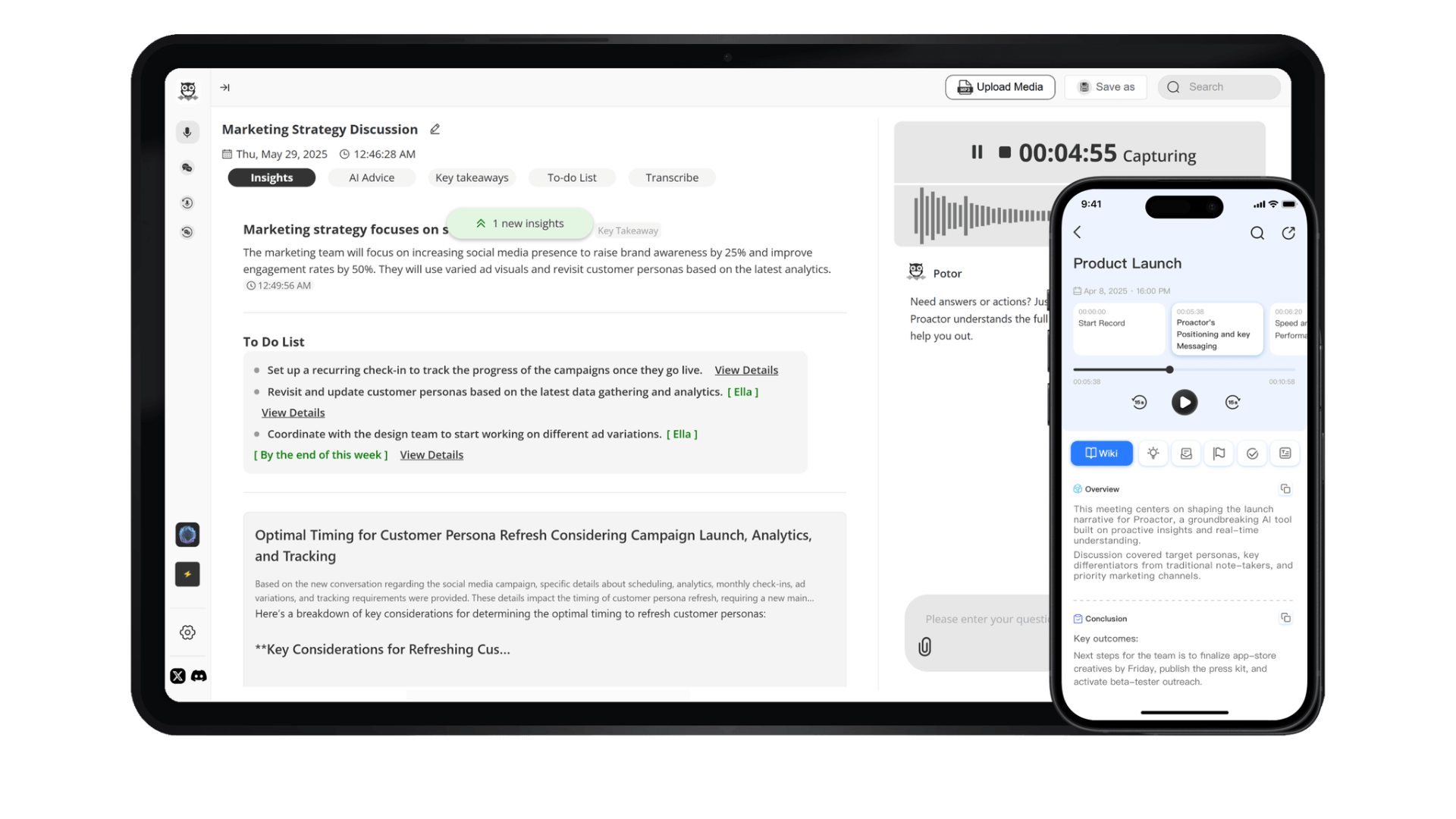
Proactor is an AI-powered voice recorder and transcription app designed for meetings, lectures, interviews, and more.
Voice Recorder & Transcription
Record meetings, interviews, and lectures and convert speech to text in real time.
AI-Powered Summaries & Notes
Automatically generate meeting summaries, action items, and structured notes with AI.
Cross-Platform Sync
Sync your notes seamlessly across iOS, Android, iPad, and Web.
Multi-Language Speech to Text
Supports speech-to-text transcription in multiple languages for global teams.
How Can You Use Proactor in Different Scenarios?
From business meetings to classroom lectures, Proactor adapts to your needs.
Business & Meetings
Record meetings, transcribe real-time discussions, and automatically generate structured meeting summaries and action items.
Education & Learning
Record and transcribe lectures, making it easier for students to take notes and study smarter.
Sales & Client Calls
Analyze client calls in real time, mark key pain points, and generate action items for better follow-ups.
HR & Recruiting
Automatically organize interview notes, compare candidate performance, and extract key insights.
What Our Users Are Saying
Join thousands of professionals who trust Proactor for their note-taking needs.
“Proactor has revolutionized my meetings. I always get clear meeting minutes after every meeting.”
“The real-time transcription helps me capture everything during lectures without distractions.”
“I use Proactor every day to streamline team meetings and ensure nothing is missed!”
“Proactor's AI summaries save me hours of work every week. Absolutely game-changing!”
Frequently Asked Questions About the Proactor Mobile App
Can Proactor be used as a live transcription app during meetings or classes?
Proactor can work as a live transcription app, showing spoken content as text while a session is still happening. This is useful for classrooms, remote work, and team calls where you need real-time audio-to-text without waiting for a finished recording.
Can I use Proactor on both iPhone and Android devices?
Yes, Proactor supports both iOS and Android devices. You can install it from the App Store or Google Play and use it to capture meetings, ideas, lectures, and voice notes across your mobile devices.
Can Proactor help students organize lectures and study materials?
Students can use Proactor to turn recorded lessons into a clear transcript that's easy to review and search later. It also works like a voice memos app, helping capture quick ideas, group discussions, and longer study sessions in one place.
Is Proactor useful for sales calls and client follow-ups?
Yes, Proactor is an app that records business conversations and converts them into structured written notes. Sales teams can also rely on its built-in transcription features to review customer needs and improve follow-ups.
Can I sync my content across multiple devices?
Your content can be accessed across mobile and web, making Proactor a flexible choice for people who rely on recording apps at work, school, or home. This helps you keep all your written records and audio files connected.
Can Proactor help create written summaries for remote team meetings?
Yes, Proactor can function as lightweight meeting minutes software, helping remote teams turn recorded discussions into organized written summaries that can be shared and archived for future reference.
Is my data private and secure when using Proactor?
Your recordings and text are protected with secure storage and encryption. Proactor’s free transcription software is designed to keep your files under your control, whether you’re using it for personal notes, study materials, or business documentation.
Download the Best AI Note-Taking App for Free Today!