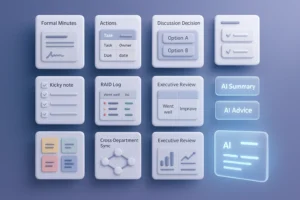
You’ve probably walked out of a meeting where everyone nodded in agreement, yet hours later nobody knew the next step. That’s a common frustration in modern workplaces. Proactive AI is designed to solve that problem. Instead of waiting for your commands like traditional AI tools, a Proactive AI assistant anticipates needs, offers real-time advice, and ensures discussions lead to execution.
In this article, I’ll explain what a Proactive AI assistant is, how it works, the benefits it brings, and why it may soon be essential for every US team.
From Passive to Proactive – The Evolution of AI Assistants
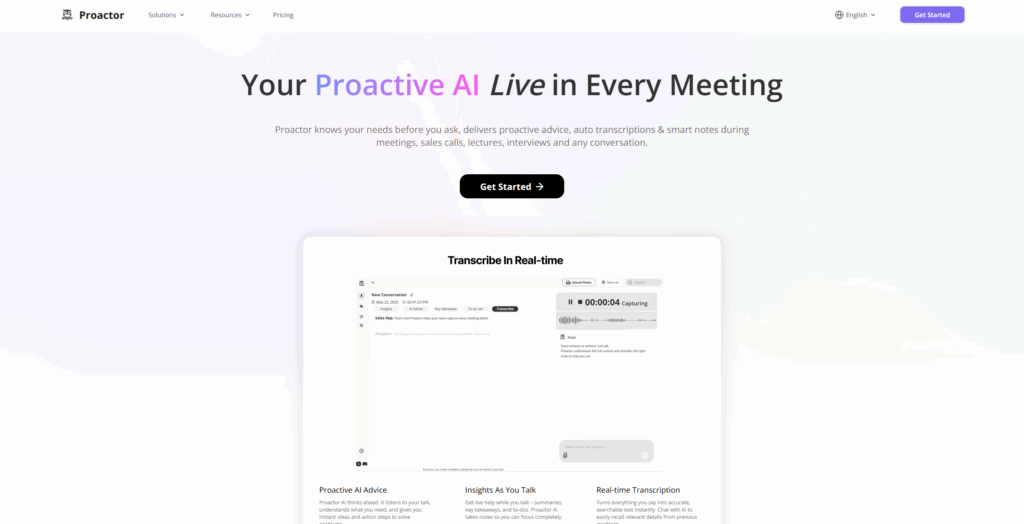
Traditional AI meeting tools are passive. They capture conversations, transcribe them, and store the notes. Useful, but limited. A Proactive AI assistant takes a different approach. It listens with context, detects emerging decisions, and surfaces suggestions while the discussion is still unfolding.
Think of it like this: a traditional assistant is a static map. You ask for directions, and it shows you. A Proactive AI assistant is a GPS navigator. It doesn’t just wait for input; it warns you about traffic, reroutes you when needed, and reminds you of turns before you miss them. That shift—from reactive to predictive—defines the future of workplace AI.
Core Features of a Proactive AI Assistant
Proactive AI Advice
This is the centerpiece. While people talk, the system identifies hidden needs and provides proactive AI advice. Imagine you’re in a sales call. Instead of only recording numbers, the assistant flags a buyer hesitation and suggests how to address it. That kind of insight, delivered in real time, changes outcomes.
Proactive Meeting Summary
Most summaries are generated after the meeting, but a proactive meeting summary distills key points during the conversation. If a team drifts off-topic, the AI can highlight core goals and bring focus back. That mid-course correction is far more powerful than a static recap.
Proactive Action Item Tracking
Meetings often fail at execution. With proactive action item detection, tasks are logged as they’re spoken. “I’ll send the proposal” instantly becomes a tracked item. Everyone knows who owns what, and no commitments are forgotten.
Context-Aware Search
Proactive assistants don’t just summarize—they connect. You can ask, “What did we decide about pricing last quarter?” and pull up the exact moment. This semantic, context-aware search prevents knowledge from disappearing into scattered documents.
Expanded Use Cases
Sales and Customer Success
Sales teams gain a huge advantage. A Proactive AI assistant captures buyer intent, logs objections, and generates follow-up strategies. Customer success managers can detect churn risks early and receive tailored recommendations.
Legal and Compliance
During legal reviews, the AI flags statements that may require regulatory attention. Instead of scanning hours of transcripts, lawyers get highlights that point directly to compliance-sensitive issues.
Education and Training
Teachers can use proactive meeting summaries to generate class notes automatically. Action items can be turned into assignments, ensuring students leave with clear next steps.
Healthcare and Consulting
Doctors and consultants deal with complex conversations. A Proactive AI assistant extracts treatment tasks, project deliverables, or client recommendations, minimizing the chance of missing critical instructions.
Business Impact of Proactive AI
Saving Time and Effort
According to Gartner’s 2025 Meeting Productivity Report, professionals spend over four hours a week just organizing meeting notes. With Proactive AI, much of that disappears. Summaries, advice, and action items are delivered instantly, letting teams focus on execution instead of paperwork.
Reducing Missed Tasks
Missed follow-ups can cost sales deals or delay projects. With proactive action items logged in real time, accountability is clear. In my experience, this shift alone improves team reliability dramatically.
Improving Team Alignment
Cross-functional teams often leave meetings with different interpretations. A proactive meeting summary creates one source of truth. Everyone walks away with the same priorities and clear ownership.
Proactive AI vs Traditional AI Tools
| Feature | Traditional AI Tools | Proactive AI Assistant |
|---|---|---|
| Trigger style | User prompts only | Anticipates needs |
| Meeting summary | Post-meeting only | Real-time + post |
| Action items | Manual notes | Automatic extraction |
| Contextual search | Keyword only | Semantic + contextual |
| Impact on workflow | Passive record | Active driver of action |
The difference is not subtle. One records. The other drives action.
Who Should Use a Proactive AI Assistant?
- Sales teams that need to capture intent, handle objections, and close deals faster.
- Executives who want concise, actionable insights instead of long transcripts.
- Project managers struggling with task ownership across multiple stakeholders.
- Remote and hybrid teams spread across time zones who need unified, consistent summaries.
In short, if your team runs on meetings, a Proactive AI assistant adds immediate value.
The Future of Proactive AI
The evolution is just beginning. Expect to see:
- Emotional intelligence: assistants detecting frustration, confusion, or enthusiasm.
- Predictive reminders: nudges about tasks that were implied but not explicitly assigned.
- Industry-specific advice modules: compliance alerts for finance, clinical guidance for healthcare, sales tactics for B2B.
- Second brain capability: not just recording but connecting patterns across multiple meetings and suggesting strategies proactively.
For US companies balancing speed and complexity, these advancements won’t be a luxury. They’ll be the baseline of staying competitive.