✦ Takeaway: Mastering meeting note formats saves hours. But pairing them with Proactor turns every conversation into execution, making your team faster, sharper, and future-ready.
Meetings are where the biggest decisions take shape—yet without structure, clarity often slips away. Choosing the right format for meeting notes is more than documentation; it’s the difference between wasted hours and real progress. The right format turns conversations into action, strengthens accountability, and ensures no decision gets lost.
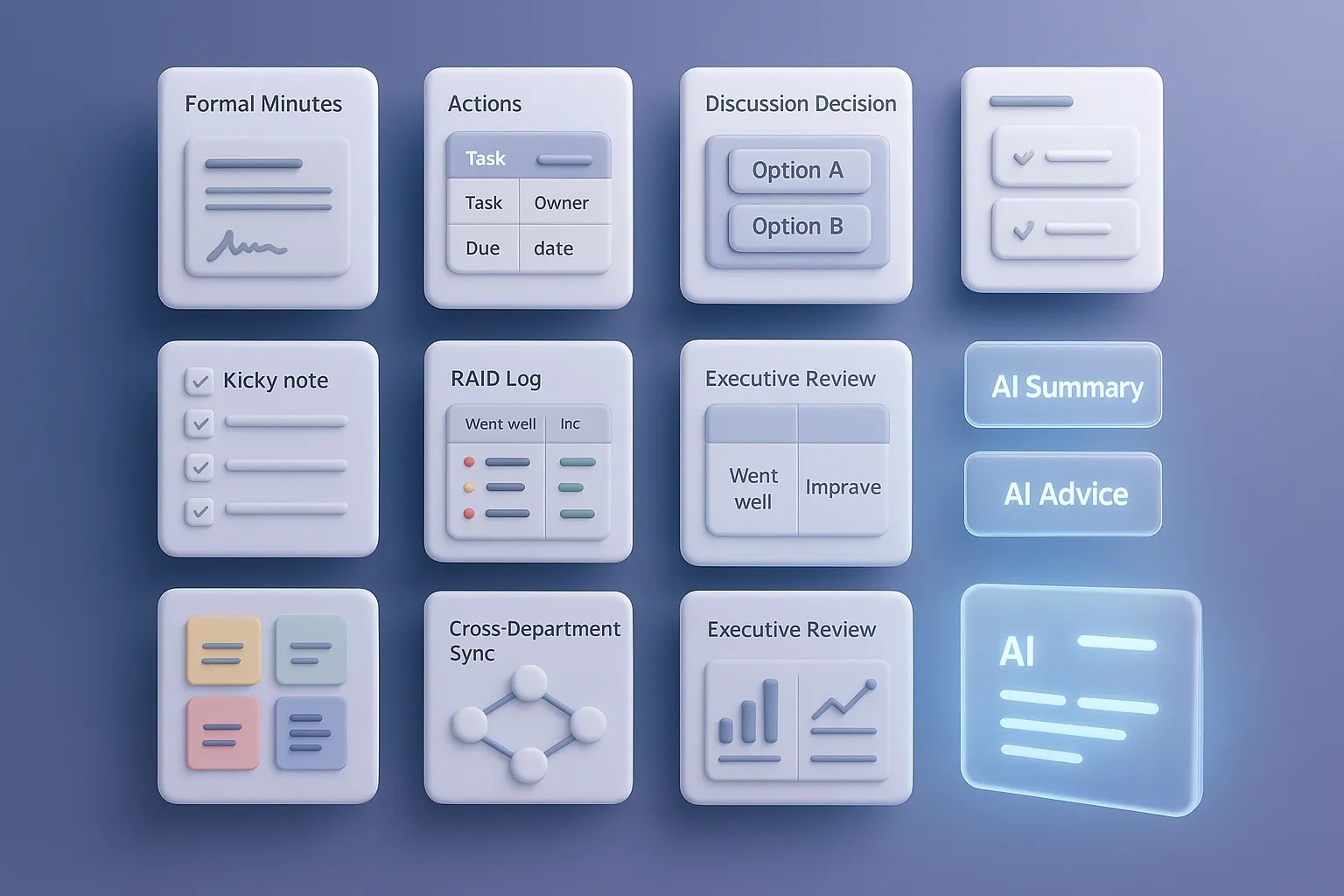
In this guide, I’ll walk you through nine proven formats for meeting notes. Each includes a clear use case, a ready-to-use template, and a practical example. And at the end of every format, you’ll see how Proactor’s AI Advice, AI Summary, and AI Wiki make note-taking not just easier, but smarter and transformative.
1. Traditional Formal Minutes
Best for: Board meetings, shareholder assemblies, legal or compliance-driven settings.
Template:
Meeting: [Type]
Date: YYYY/MM/DD
Chair: [Name]
Recorder: [Name]

Agenda:
1. Review last minutes
2. Reports presented
3. Motions, votes, decisions
4. Adjournment
Example:
At a quarterly board meeting, directors vote on adopting a new ESG policy. Motions are logged, votes counted, and final resolutions recorded for legal archives.
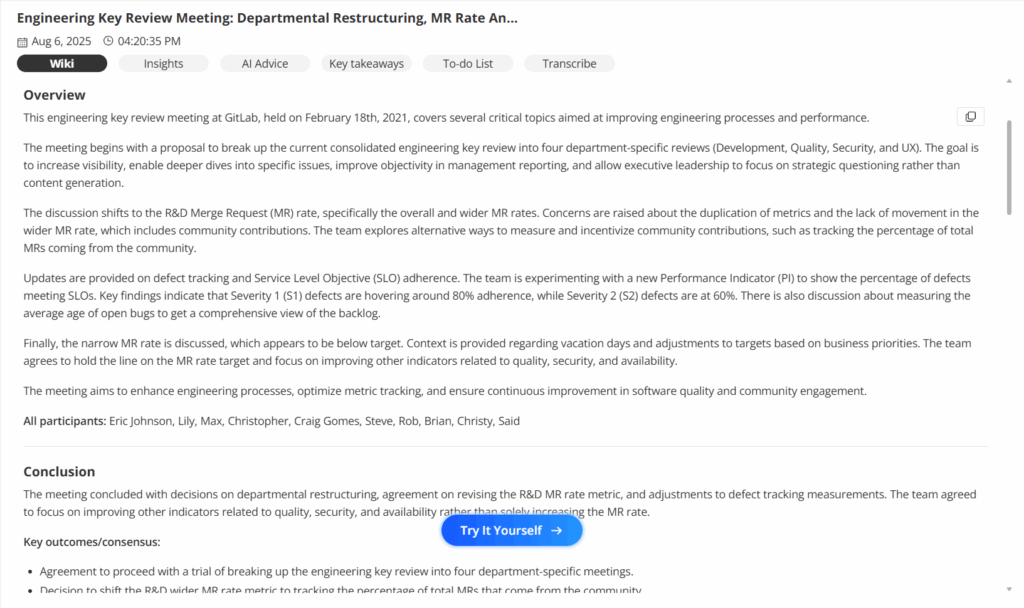
Proactor Edge: Instead of manually drafting, Proactor automatically transcribes and tags motions, generating a structured AI Wiki page. Compliance-ready documentation appears minutes after adjournment.
2. Action-Oriented Notes
Best for: Weekly syncs, project standups, or agile sprints.
Template:
Key Decisions:
- Option B approved for UI.

Action Items:
| Task             | Owner | Due Date |
|------------------|-------|----------|
| Fix payment bugs | Alex  | 10/01    |
| Deliver mockups  | Mei   | 10/03    |
Example:
On Monday morning, the dev lead commits to fixing bugs while design agrees on a new delivery timeline.
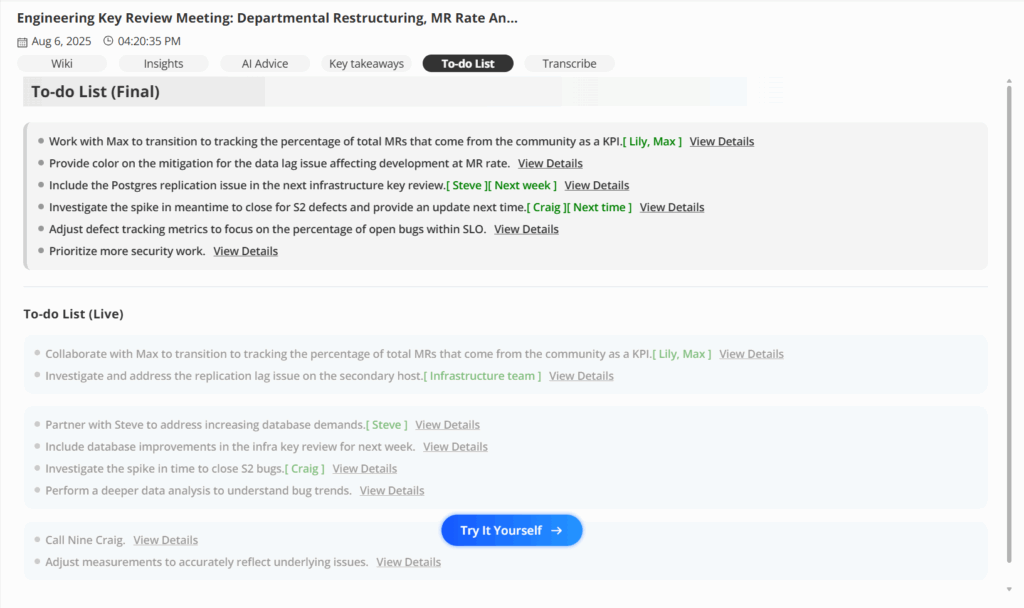
Proactor Edge: Proactor’s AI Advice listens live, flags emerging tasks, and pushes them directly into a To-Do list. By the time the meeting ends, every participant already has their assignments.
3. Discussion-Focused Minutes
Best for: Strategy workshops, design reviews, or negotiations.
Template:
Topic: Selecting a CRM
Options:
- Salesforce: powerful, costly
- HubSpot: simple, faster rollout
Decision: HubSpot
Reason: Budget fit + usability
Example:
During a CRM evaluation, finance blocks Salesforce due to budget, while product champions HubSpot for speed. The team records the reasoning for future reference.
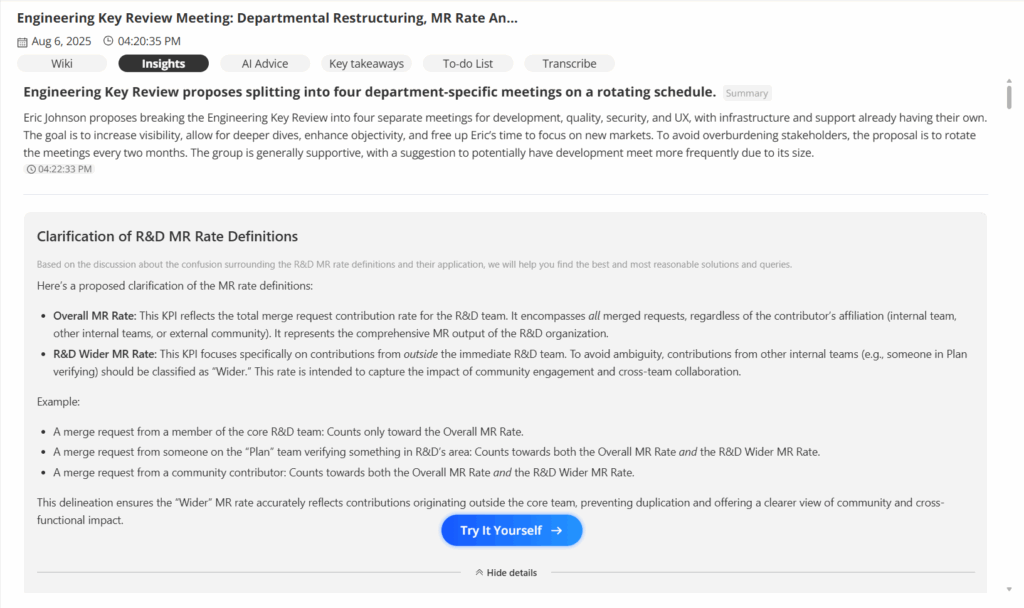
Proactor Edge: Proactor captures not only the decision but the why. Its AI Summary surfaces the context behind choices and stores it in the AI Wiki—so no one re-litigates the same arguments six months later.
4. Informal Quick Notes
Best for: 1-on-1s, mentoring, or quick catch-ups.
Template:
Topic: Q4 Personal Goals
Notes:
- Renewal target: 90%
- More case studies needed
To-Do:
- Draft request list by Friday
Example:
In a coaching session, a manager and teammate set goals and next steps.
Proactor Edge: With Proactor quietly transcribing, you get a light AI Summary that captures goals and follow-ups without breaking the flow of conversation. Stored in the Wiki, it’s ready for the next check-in.
5. Project RAID Log
Best for: Large projects with dependencies and risks.
Template:
RAID Log
| Type   | Description       | Impact | Owner | Status |
|--------|-------------------|--------|-------|--------|
| Risk   | Supplier delay    | High   | Li    | Open   |
| Issue  | Server outage     | Medium | Wang  | Fixed  |
Example:
During a product launch, a supplier delay is logged as a high risk, while an outage is tracked and resolved.
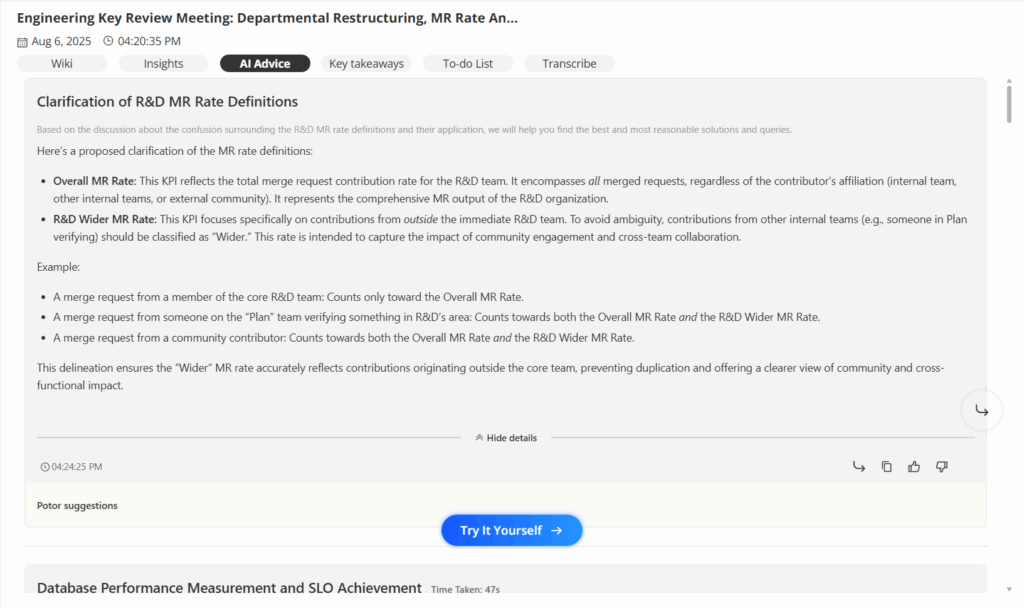
Proactor Edge: Proactor’s Insight Stream proactively highlights risks when they’re mentioned live: “This dependency sounds critical.” Spoken concerns are instantly converted into structured RAID entries.
6. Retrospective Notes
Best for: Sprint reviews or post-mortems.
Template:
Goal: Ship v2.1
Result: On time, CSAT 4.2 vs. 4.5

Went Well:
- Test automation 90%

Improve:
- Change management process
Example:
After a sprint, the team celebrates hitting the release date but flags unclear requirements as a recurring blocker.
Proactor Edge: Proactor’s AI Advice doesn’t just summarize; it detects recurring improvement themes across multiple retrospectives stored in the AI Wiki—helping teams spot long-term trends, not just sprint-by-sprint fixes.
7. Brainstorming Notes
Best for: Ideation, product workshops, or creative sessions.
Template:
Goal: Generate 10 ideas
Ideas: Rewards, badges, leaderboards
Votes: Rewards (8), Badges (6)
Next Step: Research reward system
Example:
A product workshop yields dozens of ideas, then narrows them down by team voting.
Proactor Edge: Proactor clusters raw brainstorm ideas by theme and outputs a structured shortlist in your AI Summary. Creative chaos becomes actionable clarity.
8. Cross-Department Sync
Best for: Campaigns requiring multiple teams (marketing, product, support).
Template:
Marketing: Channels booked
Product: Landing page testing
Support: Training complete
Decision: Shared slogan approved
Example:
For a Black Friday campaign, marketing and product align on deadlines, while support confirms readiness.
Proactor Edge: Proactor automatically generates a cross-department AI Wiki page linking every update, dependency, and decision. The AI Advice even nudges: “Don’t forget marketing needs the final URL by Friday.”
9. Executive Review Minutes
Best for: Leadership reviews, KPI-driven meetings.
Template:
Quarter: Q3
Revenue Target: $2M
Actual: $1.8M (90%)
Insight: Channel B highest LTV
Decision: Launch entry package
Example:
Executives review quarterly revenue, identify a high-value channel, and approve a new pricing tier.
Proactor Edge: Proactor links KPIs to historical trends in your AI Wiki and pushes real-time AI Advice: “Retention is down 5%—consider addressing churn.” It’s like having a strategy analyst in the room.
From Notes to Action: The Proactor Difference
Every format above helps transform meetings from chaos into clarity. But the real leap forward is when notes don’t just sit in a folder—they actively drive execution.
With Proactor, you get:
- AI Summary: instant clarity, no manual cleanup.
- AI Advice: proactive insights and corrections during the meeting.
- AI Wiki: a living knowledge base where notes, actions, and context live together.
This isn’t just a meeting notetaker. It’s your proactive meeting intelligence system.