TL;DR
- NoteGPT is generally used for turning content (meetings, videos, docs) into notes and summaries.
- It can be helpful for quick study notes and first-draft summaries.
- The main limitation is reliability: you still need to verify details and structure the output.
- If you want actionable meeting follow-ups, prioritize tools/workflows that extract decisions and action items clearly.
- Evaluate using your real inputs (your meetings, your videos), not demo text.
—
“AI note taking” tools exploded in the last couple of years. NoteGPT is one of the names people search for when they want an easier way to convert long content into structured notes.
This review is written for 2025-style usage: modern teams dealing with nonstop meetings, long videos, and too much text to process manually.
What is NoteGPT?
NoteGPT is an AI-powered note tool that people typically use to:
- summarize content quickly
- extract key points
- produce study notes
- turn long text into shorter outlines
Depending on your workflow, that content can come from meetings, videos, or documents.
What NoteGPT does well
1) Fast “first draft” summaries
If your main pain is speed, NoteGPT can help you get to an initial summary quickly. That is useful when you need to understand something without rereading the full source.
2) Turning long content into an outline
Many users want a structured outline more than a paragraph summary. An outline is easier to scan and easier to convert into:
- a brief
- a doc
- a set of study flashcards
3) Helping you start, not finish
The most realistic way to use tools like NoteGPT is:
- let it draft
- you edit
- you keep the final version short and specific
Where NoteGPT can fall short
1) Detail accuracy
AI summaries can be wrong in subtle ways:
- incorrect names
- wrong dates
- swapped attributions
- missing key constraints
If the content includes numbers, commitments, pricing, or legal language, treat the summary as a draft only.
2) Generic output if you don’t provide structure
If you paste content and ask “summarize,” you often get a generic response.
To improve quality, you need to request a structure like:
- 5 key takeaways
- decisions
- action items with owners
- open questions
3) Weak fit for meeting follow-ups (without a workflow)
Meeting notes are not the same as learning notes.
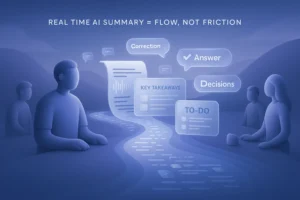
For meetings, the goal is execution. Your output should include:
- outcomes
- decisions
- action items (owner + due date)
If a tool doesn’t produce that consistently, your team will still struggle with follow-up. A meeting-focused workflow (for example a work meeting flow paired with an AI note taker) helps keep the output consistent.
Who should use NoteGPT?
Good fit
- Students and self-learners summarizing long reading
- Professionals summarizing long documents
- People who want a quick outline from video transcripts
Not ideal
- Teams that need “perfect” meeting documentation with zero editing
- High-stakes contexts where incorrect details create real risk
How to test NoteGPT with your real content
Test 1: A 20-minute meeting transcript
Ask for:
- key outcomes
- decisions
- action items with owner and due date
Then compare it to what actually happened.
Test 2: A long video transcript
Ask for:
- a 10-bullet outline
- a short summary
- 5 key quotes (with timestamps if available)
Test 3: Editing time
The best metric is not “wow.” It’s:
- how many minutes you spend fixing the output
If you always spend the same time editing, you’re not saving time.
A better way to use AI for meeting notes (practical workflow)
If your goal is consistent follow-ups, try this workflow:
1) Capture a transcript (with permission)
2) Generate a structured summary in a fixed template
3) Extract action items and push them to your task tool
4) Share a 1-page recap with the team
If you’re looking for building blocks for that process, start with AI note taker and (when needed) live transcription.
That workflow beats “summarize this meeting” because it forces the output to be actionable.
FAQ
Is NoteGPT accurate?
It can be useful, but you should always verify high-impact details. Treat summaries as drafts.
Is NoteGPT good for meeting notes?
It can help draft notes, but it works best when you require a template that includes decisions and action items.
How do I get better summaries from NoteGPT?
Ask for a specific structure (bullets, outline, takeaways, actions) and provide the context and goal of the notes.
What is the best alternative to AI note apps?
Often it’s not a single app, but a workflow: transcript → structured summary → action tracking.
—
If you want notes that drive action, use a structured template and keep the final output short, specific, and easy to scan. You can start here: https://proactor.ai/app/login